How to open a PSD file without Photoshop
By Pixuvia · · Updated
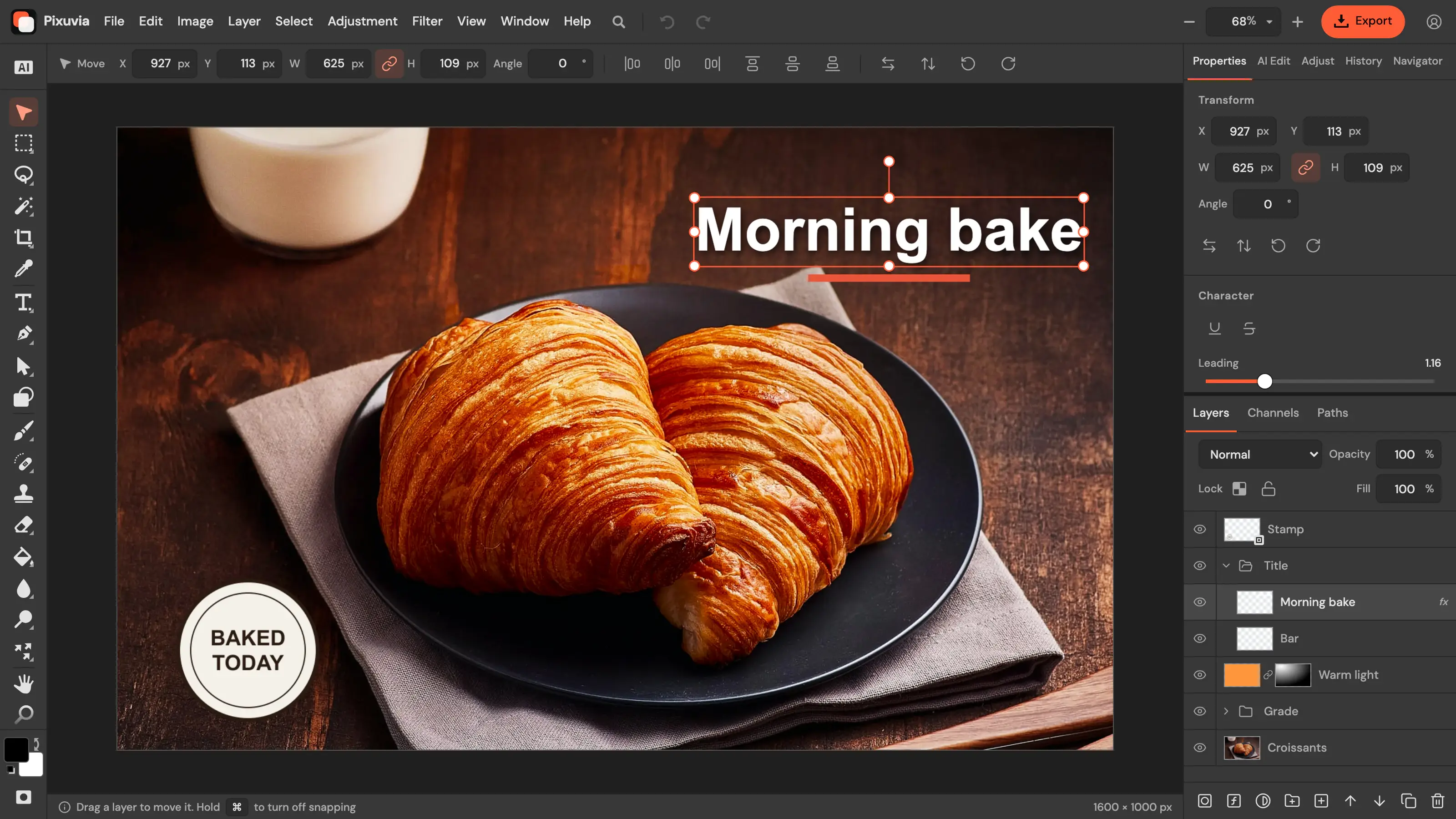
To open a PSD file without Photoshop, drop it on a browser editor that reads Photoshop's layers, such as the Pixuvia Editor. The file opens with its groups, masks, adjustment layers, text and smart objects as separate layers, and File > Export As > PSD saves it back as a layered PSD that Photoshop can open.
Opening is the easy part. The real question is what happens to each layer on the way in and on the way out, so this guide follows one layered file through the whole trip: open it, list what arrived, change the text, save it as a PSD again and read the saved file to see what it holds.
On this page
What was in the PSD we opened?
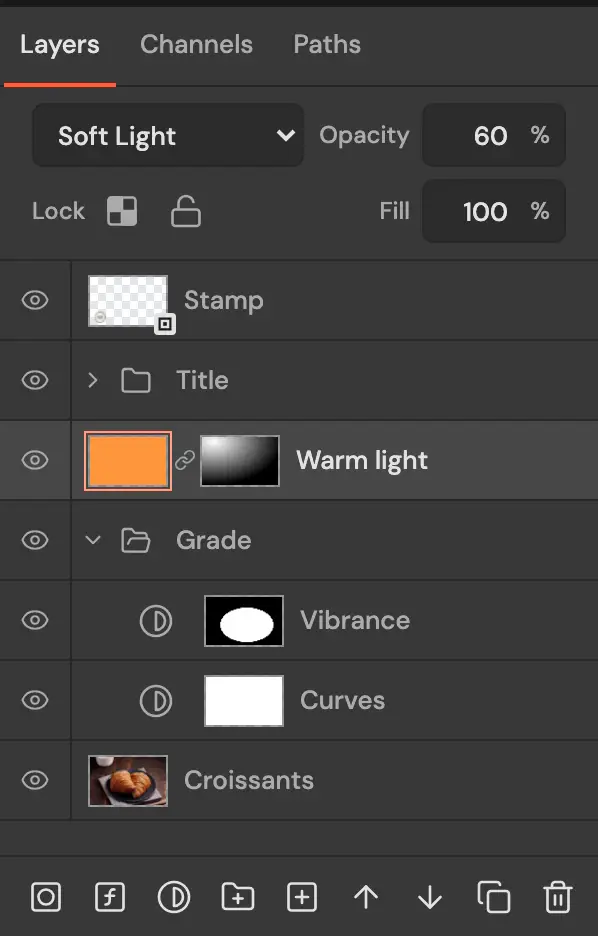
We built a 1600 × 1000 px poster, morning-bake.psd, with one of each kind of layer people ask about. From the bottom up:
- Croissants: the photo, a plain pixel layer.
- Grade: a group holding a Curves adjustment layer and a Vibrance adjustment layer whose mask limits it to the plate.
- Warm light: an orange layer in Soft Light blend mode at 60% opacity, faded by a radial layer mask.
- Title: a group holding Bar, a rectangle shape layer, and Morning bake, a text layer in Arial Bold with a Drop Shadow style.
- Stamp: a smart object whose embedded file is a PNG badge.
How do you open a PSD file without Photoshop?
- Open the Editor in a browser and drop the PSD on its start screen, or choose File > Open… (Ctrl+O, Cmd+O on a Mac) and pick it.
- Read the message at the top of the window if one appears: it names every layer that could not open as it was saved. No message means everything was kept.
- Check the Layers panel. Groups, masks, adjustment layers, text and smart objects each have their own row, as in Photoshop.
- Make your edit. For text, press T for the Text tool, click the words, select them and type, then click Commit Text or press Ctrl+Enter (Cmd+Enter).
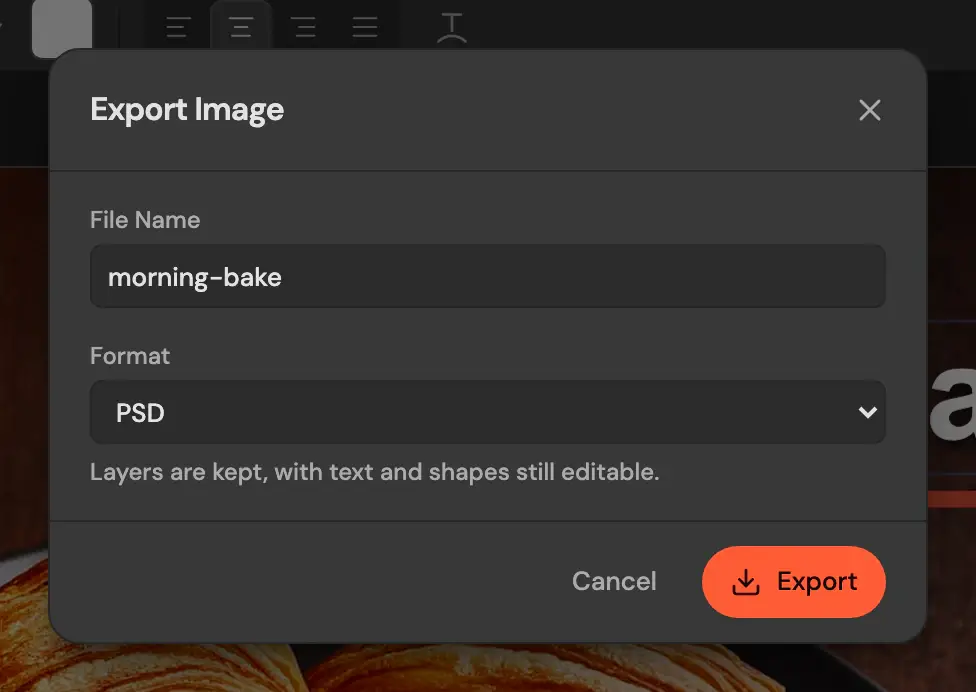
- Choose File > Export As > PSD, check the File Name and click Export. The new PSD keeps the layers, so you can open it again here or in Photoshop.
Nothing is installed, and the same steps work on a phone or tablet, where the Layers panel slides up from the bottom (see editing a PSD on your phone). A computer opens PSD files up to 60 MB; one longer than 8192 px on a side opens scaled down to fit, layers and all.
If you only need to look at the file or send a flat copy, you don't need layers at all: convert the PSD to PNG to keep its transparency, or convert it to JPG for a smaller file to share.
What happens to my layers when the PSD opens?
Our test file opened with no message: every layer and group above was in the Layers panel with its name, order, visibility, opacity and blend mode. Other files can hold things that don't fit, so here is the rule for each kind of layer, taken from how the Editor reads and writes PSD files.
| In the PSD | Opens as | What changes |
|---|---|---|
| Layers and groups | Layers, and nested groups with visibility, opacity, blend mode (Pass Through too), clipping and whether they are expanded | Masks and layer styles on a group are dropped; masks and styles on the layers inside it stay |
| Layer masks and vector masks | Editable masks on their layers, each with its on or off state | Nothing, apart from the group masks above |
| Adjustment layers | Editable adjustment layers with their masks: Levels, Curves, Hue/Saturation, Color Balance, Black & White, Photo Filter, Channel Mixer, Selective Color, Gradient Map and more | Color Lookup, legacy Brightness/Contrast, noise Gradient Maps and Exposure with Offset or Gamma changed are skipped, and the message names them |
| Text | Editable text: font, size, color, per-character styles, alignment, paragraph boxes, vertical text and standard warps | Text on a path or with a custom warp opens as pixels; a font you don't have is drawn in a fallback font until you pick one |
| Shapes | Editable rectangles, ellipses, polygons and lines, or paths for other shapes, with fill and stroke | A shape with a dashed or semi-transparent stroke opens as pixels; one filled with a gradient or pattern opens as a fill layer with a vector mask |
| Smart objects | Smart objects with their embedded PNG, JPG or PSD contents (Edit Contents opens them) and smart filters | Warped, distorted or linked ones open as pixels; filters the Editor can't run are kept for saving but not shown |
| Layer styles | All ten Photoshop effects, from Drop Shadow to Bevel and Emboss, still editable in Layer > Layer Style | When a layer stacks several Drop Shadows, Strokes or overlays of one kind, the first one opens |
| Blend modes | All 27 of Photoshop's layer blend modes, Dissolve to Luminosity | Nothing |
Fill layers count too: gradient and pattern fills stay editable. Guides, the file's resolution and saved paths come in with the document.
Can you edit a PSD and keep it editable?
Yes, as long as the layer you change stays the same kind of layer. We clicked the title with the Text tool, selected the words and typed "Fresh at 7". Font, size, centering and the Drop Shadow stayed as they were, and the Layers panel renamed the layer after its new words, as Photoshop does. The fx mark on a layer's row opens the Layer Style dialog, and with the Stamp selected, Edit Contents in the Properties panel opens the badge inside the smart object.
Painting or erasing on a text, shape or smart object layer would turn it into pixels, so the Editor asks before it rasterizes the layer. Paint on a new layer above it instead and the original stays editable. The guides to layer masks and how layers work cover that way of working.
Does the PSD still have its layers after you save it?
We saved with File > Export As > PSD, which opens Export Image with PSD already chosen, then read the downloaded file with ag-psd, an open-source PSD library, to list what it holds. Every layer and group came back in the same order, with these differences:
- The text layer is stored as type with the new words "Fresh at 7", Arial Bold at 96 px, with its Drop Shadow.
- Bar went out with Photoshop's live rectangle record, which the file didn't have before, so Photoshop sees a live shape it can edit.
- Curves gained an all-white mask that hides nothing: Photoshop gives every adjustment layer one, and saves it the same way.
- Stamp still embeds stamp.png. A smart object whose contents you haven't edited writes back the file it came with.
- Warm light kept Soft Light, 60% opacity and its mask, and Grade was saved expanded, because we had opened it in the panel.
The file also carries a flattened copy of the whole image. The PSD specification stores that composite at the end of the file, and simple viewers and file previews show only it, so they still show the poster without reading a single layer.
What doesn't make the round trip?
Our file came back whole because it held nothing outside the rules above. These are the cases where a PSD changes, so check them before you send a file back to someone who works in Photoshop:
- Group masks and group styles are gone after opening, so they are gone from the saved file too. If a group's mask matters, copy it onto the layers inside the group in the original app first.
- Layers that opened as pixels (text on a path, warped or linked smart objects, unusual shapes) are saved as pixels, no longer editable in Photoshop.
- Skipped adjustment layers are missing from the saved PSD. Color Lookup has no PSD form here in either direction.
- Color and depth: CMYK, grayscale and 16-bit files open but are edited and saved as 8-bit RGB, and CMYK colors can shift because the file's color profile isn't used. Lab, duotone and multichannel PSDs and PSB files don't open.
- Size: a PSD scaled down on opening is saved at the smaller size, since the Editor exports the document at 100%.
- Edited smart objects embed their new contents as a PSB inside the PSD; the original embedded file is written back only while the contents are unedited.
For the whole list of what the Editor's PSD support covers, see the online PSD editor page. If you are weighing other browser editors for the same job, Photopea vs Pixlr opens one layered PSD in both.