remove.bg alternatives: where to remove backgrounds after it closes
By Pixuvia · · Updated

remove.bg announced that its standalone website closes on 1 December 2026 at 9:00 a.m. CET. Its own FAQ sends web users to Canva's Background Remover and developers to Leonardo.Ai, and says the desktop app, the Photoshop plugin and the self-service API end on that date. If Canva doesn't suit you, these remove.bg alternatives cover the same jobs. Pixuvia, Adobe Firefly and Pixelcut handle quick cutouts, Photoroom and Pixelcut handle batches and APIs, and Photoshop or Affinity replace the plugin.
We make Pixuvia, and it appears in this list as one entry, with what it lacks. Every fact about remove.bg and the other tools comes from their own websites and help centers, checked in November 2026, with links in the sources. We did not upload photos to any of them or run their background removal: the screenshots show their public pages, signed out.
On this page
- What is happening to remove.bg
- What to look for in a remove.bg alternative
- remove.bg alternatives compared
- 1. Pixuvia: a background remover with a no-credit option and an editor behind it
- 2. Canva Background Remover: where remove.bg sends you
- 3. Photoroom: product photos, batches and an API
- 4. Adobe Firefly: a quick cutout with an Adobe account
- 5. Pixelcut: large files, big batches and an API
- 6. Affinity: remove.bg's pick for the Photoshop plugin
- 7. Photoshop: Remove Background built in, no plugin needed
- If you use the remove.bg API
- Which remove.bg alternative fits your work
- Questions
- Sources
What is happening to remove.bg
remove.bg has belonged to Canva since 2021. A banner now runs across its site, and its FAQ page, headed "remove.bg is moving to Canva", spells out the plan. From 1 December 2026 at 9:00 a.m. CET the standalone website is no longer available; background removal moves to Canva and API access to Leonardo.Ai, also part of Canva. Enterprise API contracts aren't affected.
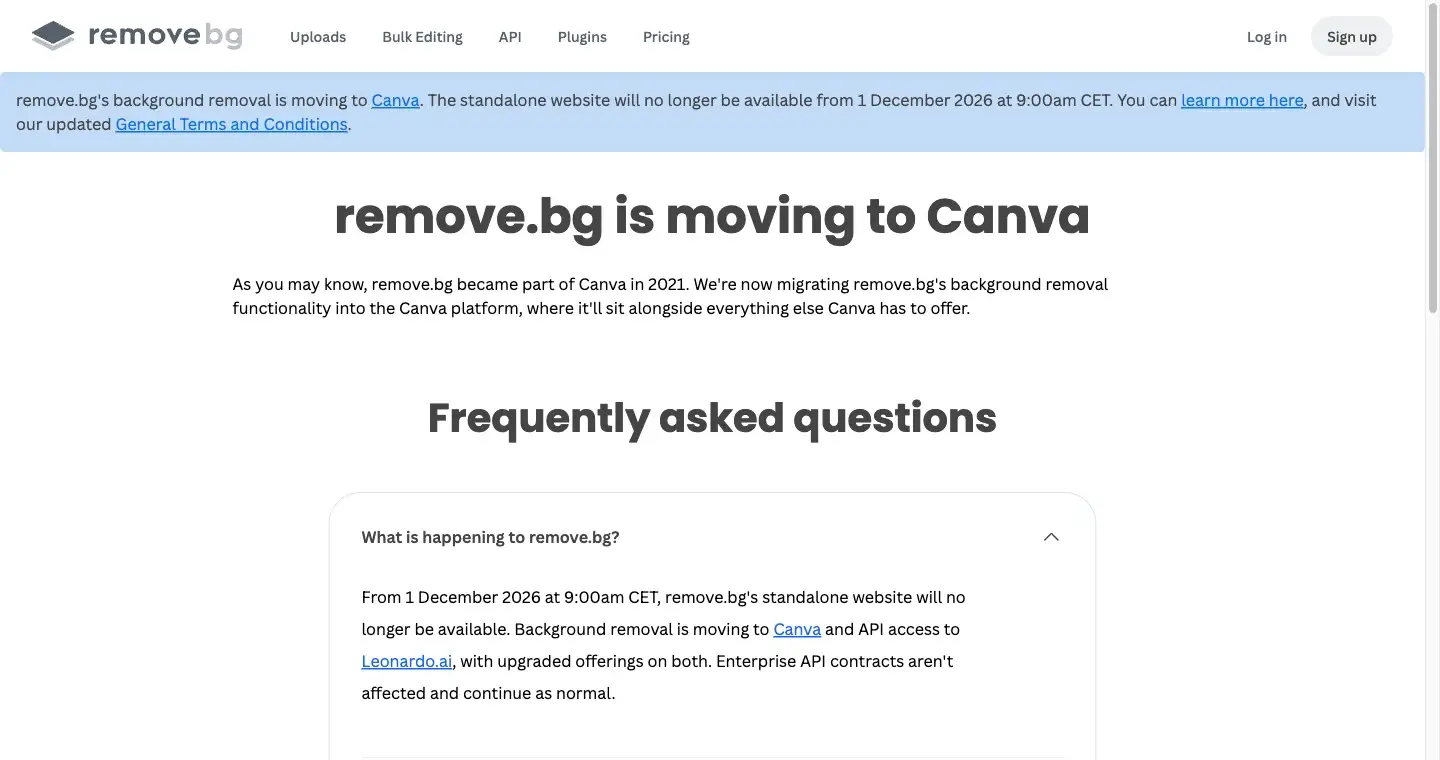
The same FAQ covers each way people used remove.bg:
- The website: Canva's Background Remover, which the FAQ says "uses the same background-removal technology as remove.bg".
- The desktop app and bulk work: Canva's bulk background removal, in the web app or the Canva desktop app.
- The API: the self-service API stops accepting requests from 1 December 2026; Leonardo.Ai offers the same background removal API, with a migration guide.
- The Photoshop plugin and other integrations: discontinued on 1 December 2026. For the plugin, the FAQ suggests Affinity, also part of Canva.
If you still have remove.bg credits
The FAQ is plain about money. Unused pay-as-you-go credits expire on 1 December 2026, and remove.bg recommends using them before then. Annual subscriptions keep working until the cutoff and then end, with a pro-rata refund for the unused time sent to the original payment method without you doing anything. Monthly subscriptions also end automatically; you can cancel earlier at remove.bg/dashboard. Accounts and their data stop being reachable after the cutoff, so export your credit usage report and invoices from the Account page first. Before the cutoff, the FAQ lists remove.bg/support and [email protected] for questions.
What to look for in a remove.bg alternative
remove.bg did one job: you dropped a photo, got a clean cutout and downloaded it. Sites like remove.bg differ on six points:
- Edges on hair and fur. A product on a plain wall is the easy case. Test a tool on a portrait with loose hair or a pet, where cutouts most often go wrong.
- A way to fix the edge. No automatic cutout is right every time. Look for erase and restore brushes, or a layer mask you can paint, so a missed strand or a leftover patch takes seconds to fix.
- Output size and format. Check the largest file the tool accepts and whether the result keeps your photo's resolution. Canva, for example, scales results above 10 MP down to 10 MP. You want a transparent PNG (or WebP), plus a white background for marketplaces.
- Batch. If you ran folders through remove.bg's desktop app, check how many images a batch takes and how the results come back.
- API. Developers need a drop-in endpoint, its rate limits and its formats; the Leonardo.Ai guide maps remove.bg's parameters one by one.
- How it is paid for, and what happens to credits. Some tools include background removal in a plan, some charge credits per image, and some count exports instead. remove.bg's own wind-down is a reminder to read what happens to unused credits.
remove.bg alternatives compared
| Tool | Fix the edge | Files and output | Batch and API | How you pay |
|---|---|---|---|---|
| Pixuvia | Sharp or Soft AI edge; a layer mask to paint in the Editor | PNG, JPG, WebP, GIF, AVIF, BMP, SVG and HEIC in; transparent PNG or white out, at full size | One image at a time; no public API | Standard uses no credits; AI uses credits and a sign-in |
| Canva | Erase and Restore brushes | Photos under 9 MB; results above 10 MP scaled to 10 MP; transparent PNG | Up to 50 images per folder; API through Leonardo.Ai | Included with paid plans |
| Photoroom | Editor after the cutout | JPEG or PNG in; PNG, JPEG or WebP out; 4K images on Ultra | Batch and an API with a sandbox | Pro, Max and Ultra plans; removal uses no AI credits, exports count |
| Adobe Firefly | Firefly's other edit tools | JPEG, PNG or WebP up to 50 MB in; PNG out | Not listed on its page | Daily generations with an Adobe account; paid Firefly plans for unlimited use |
| Pixelcut | Refine brush | JPG, PNG or HEIC up to 50 MB and 6000 × 6000 px; PNG out | Up to 10,000 images per batch as a ZIP; an API | Limited removal at no cost; Pro and Business plans |
| Affinity | Mask layer and brushes | Works on a layer in a full editor | No | App at no cost for individuals; Remove Background needs a Canva premium plan |
| Photoshop | Layer mask and Brush | Works on a layer in a full editor | Photoshop's own automation | Creative Cloud subscriptions, monthly or annual |
1. Pixuvia: a background remover with a no-credit option and an editor behind it
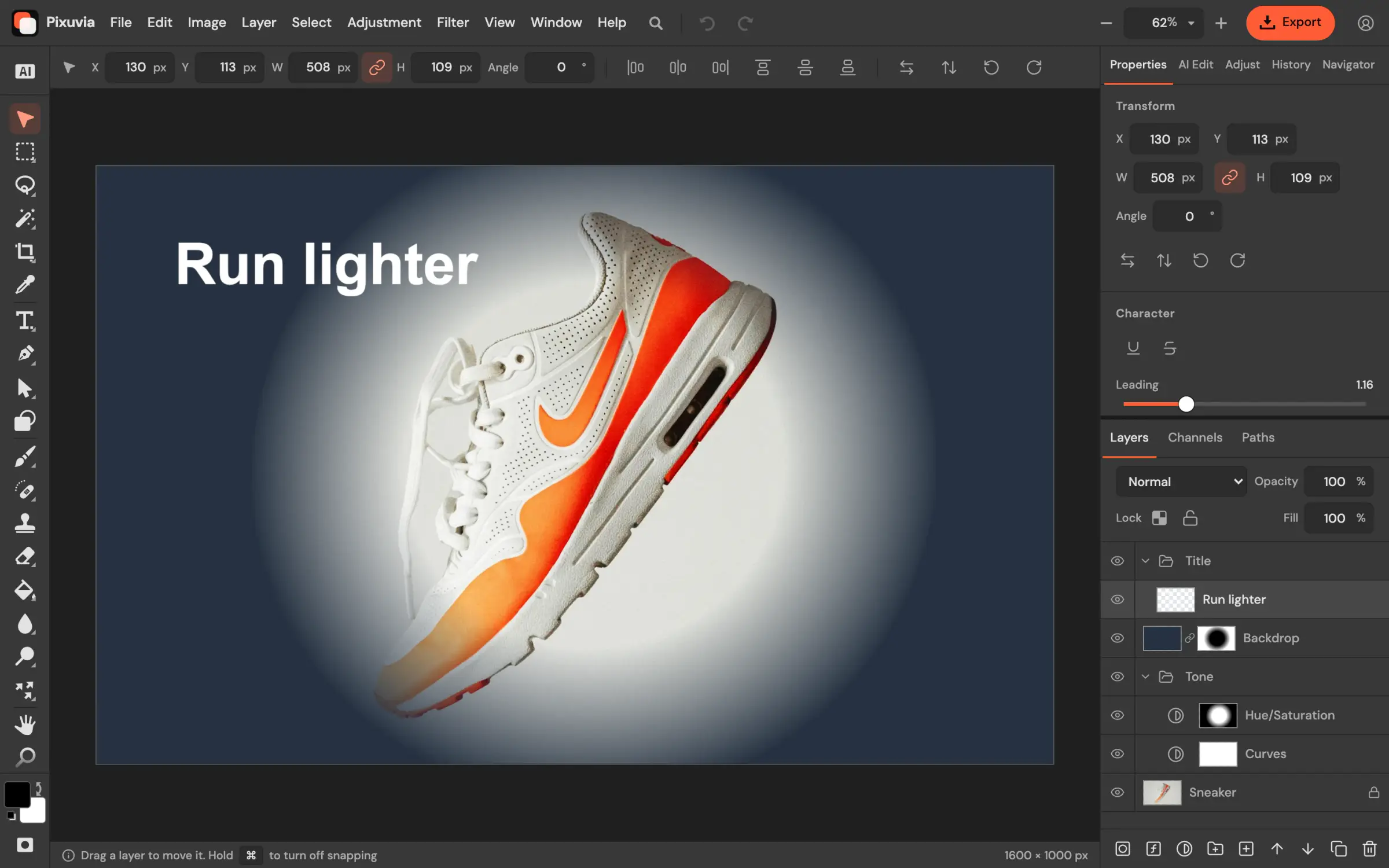
The Pixuvia background remover works like remove.bg: open an image and the cutout appears. You pick one of two methods. Standard uses no credits and runs as soon as the image opens; it suits a clear subject on a simple background. AI is for hair, fur and busy backgrounds, needs a sign-in and uses credits, with the cost shown beside the button, and offers a Sharp or a Soft edge. Both end in a transparent PNG, or the cutout on white, and the cutout is applied to your image at full size, so it keeps its width and height.
Behind the cutout sits a full editor, which remove.bg lacked. The result opens in the Studio, where you can put it on a color or a photo, or in the Editor, where Layer > Layer Mask > Remove Background hides the background with a layer mask instead of deleting it. Painting the mask in black or white fixes an edge by hand, and our layer mask guide shows how.
Good at
- A no-credit method for simple photos, and an AI method with a choice of edge for hair and fur.
- Opening PNG, JPG, WebP, GIF, AVIF, BMP, SVG and iPhone HEIC photos.
- Going on from the cutout: a new background in the Studio, or change background in one step, and layer masks in the Editor.
- Other one-job tools next to it, such as the object remover, image extender and image upscaler.
Keep in mind
- It works on one image at a time, with no batch mode and no public API, so it doesn't replace remove.bg's desktop app or API.
- AI runs need a sign-in and credits; plans are on the pricing page.
Best for: anyone who wants a background remover like remove.bg for one photo at a time, with a way to fix the edge and keep editing in the same place.
2. Canva Background Remover: where remove.bg sends you
Canva is the official successor. Its Background Remover page removes the background as soon as an upload finishes, then lets you download a transparent PNG or open the result in Canva's editor. Its "Erase" and "Restore" brushes refine flyaway hair, fur and jewelry, and the tool works on the web, the desktop app and mobile.
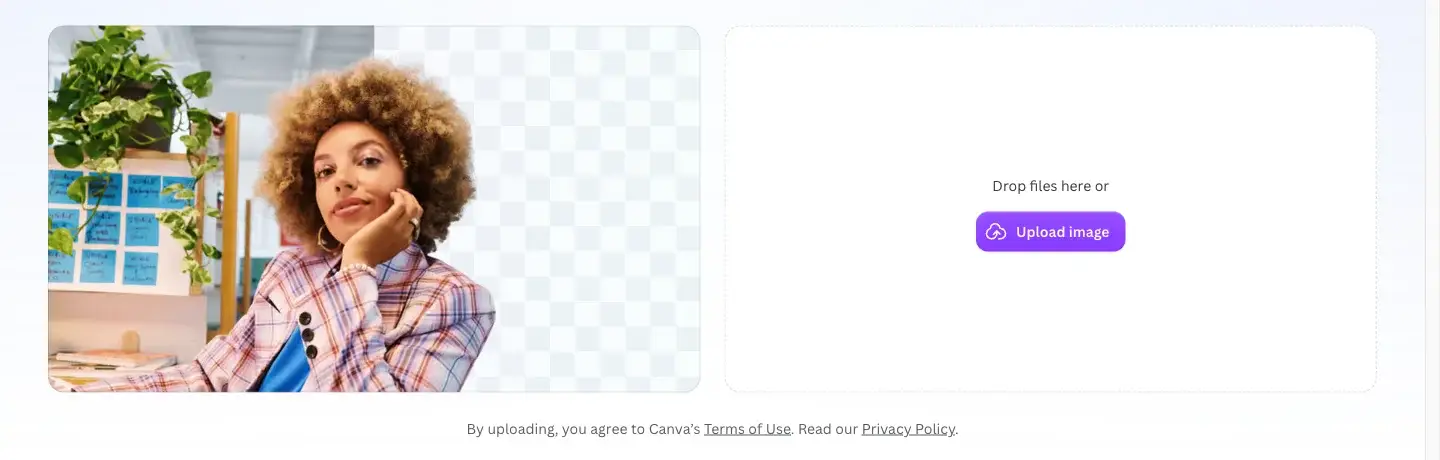
Canva's help center fills in the limits. Background Remover is included with paid plans. It works on photos under 9 MB, and any uploaded photo above 10 MP is scaled down to 10 MP after its background is removed. In bulk, it takes all the uploaded images in a folder, up to 50 at a time, and saves the results in a new folder named after the original.
Good at
- The same background-removal technology as remove.bg, according to remove.bg's FAQ.
- Erase and Restore brushes, and a whole design tool around the cutout: templates, text, Magic Resize and brand kits.
- Bulk removal of up to 50 images per folder, and video backgrounds for clips under 10 minutes.
Keep in mind
- Its feature page invites you to try it at no cost, but the help center says Background Remover comes with paid plans; see its pricing page.
- The 9 MB and 10 MP limits matter for large product and print photos.
Best for: remove.bg users who already design in Canva, or who want the closest match with the least change.
Link: canva.com/features/background-remover
3. Photoroom: product photos, batches and an API
Photoroom is built for sellers. Its Background Remover page takes a JPEG or PNG, removes the background, and lets you keep it transparent or white or pick a color, then download PNG, JPEG or WebP. Around the cutout it adds AI backgrounds, shadows, product staging and virtual models, with Batch and an API for whole catalogs.

Its pricing page lists Pro, Max and Ultra plans, billed monthly or yearly, each with AI credits and a monthly number of exports; 4K images come with Ultra. Its help center says Background Remover does not use AI credits, but each export counts against the export limit.
Good at
- Product photos for marketplaces: white backgrounds, shadows and consistent framing.
- Batch editing, and an API whose page lists more than 20 edits, from background removal to upscaling.
- Apps for iOS and Android next to the web app.
Keep in mind
- Exports are counted per month, so heavy users should compare the export limits as well as the credits.
- It is aimed at product shots; for portraits and design work, Canva or a layered editor may fit better.
Best for: online sellers who used remove.bg for product listings and want batches and white backgrounds.
Link: photoroom.com
4. Adobe Firefly: a quick cutout with an Adobe account
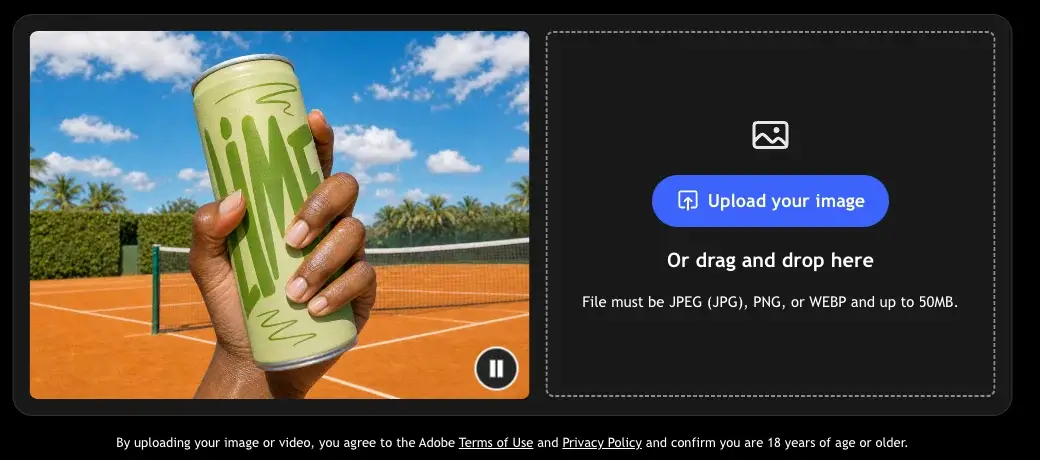
Adobe's background remover now lives in Firefly: the old Adobe Express address opens Firefly's Remove background page. It accepts JPEG, PNG or WebP files up to 50 MB and downloads the result as a PNG with a transparent background. After that you can generate a new background from a prompt, add a solid color, or take the image into Photoshop or Adobe Express.
Good at
- A short path from upload to PNG, with files up to 50 MB.
- Generative tools around the cutout: background generation, Generative Fill and expanding the canvas.
- A direct route into Photoshop for finishing touches.
Keep in mind
- Its FAQ says signed-in users get daily generations they can spend on background removal at no cost, and a paid Firefly plan unlocks unlimited use.
- The page does not list a batch mode or an API for this tool.
Best for: people with an Adobe account who remove a background now and then and may finish in Photoshop.
Link: adobe.com/express/feature/image/remove-background
5. Pixelcut: large files, big batches and an API
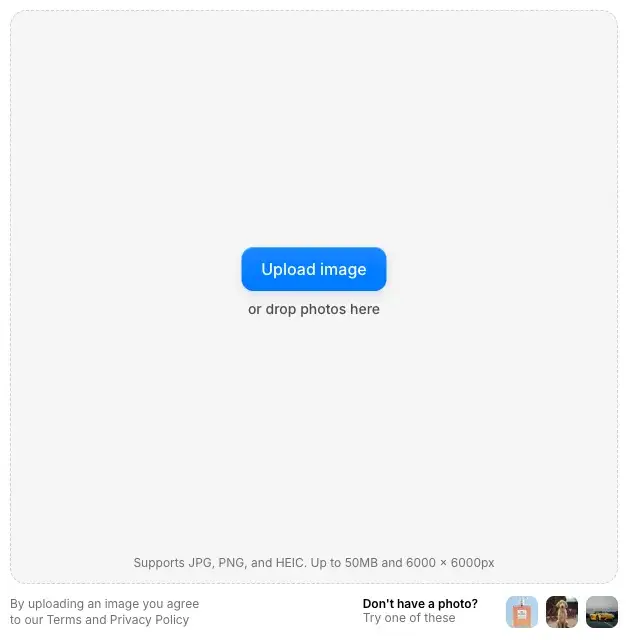
Pixelcut's Background Remover page takes JPG, PNG and HEIC files up to 50 MB and 6000 × 6000 px, removes the background, and saves a PNG with no background or on white. A Refine brush fixes edges by hand. Its bulk tool, the page says, handles up to 10,000 images in one batch, with consistent sizing and padding, and downloads the set as a ZIP.
Good at
- Large inputs and very large batches, the closest match here to remove.bg's desktop app.
- A background removal API, plus apps for iPhone and Android.
- AI backgrounds and a video background remover around the cutout.
Keep in mind
- Its pricing page lists limited background removal on its plan at no cost, and unlimited removal with monthly batch exports on Pro and Business.
- Its page says you need to sign in to download a cutout at full resolution.
Best for: sellers and teams who ran folders of photos through remove.bg and need batches of hundreds or thousands.
Link: pixelcut.ai
6. Affinity: remove.bg's pick for the Photoshop plugin
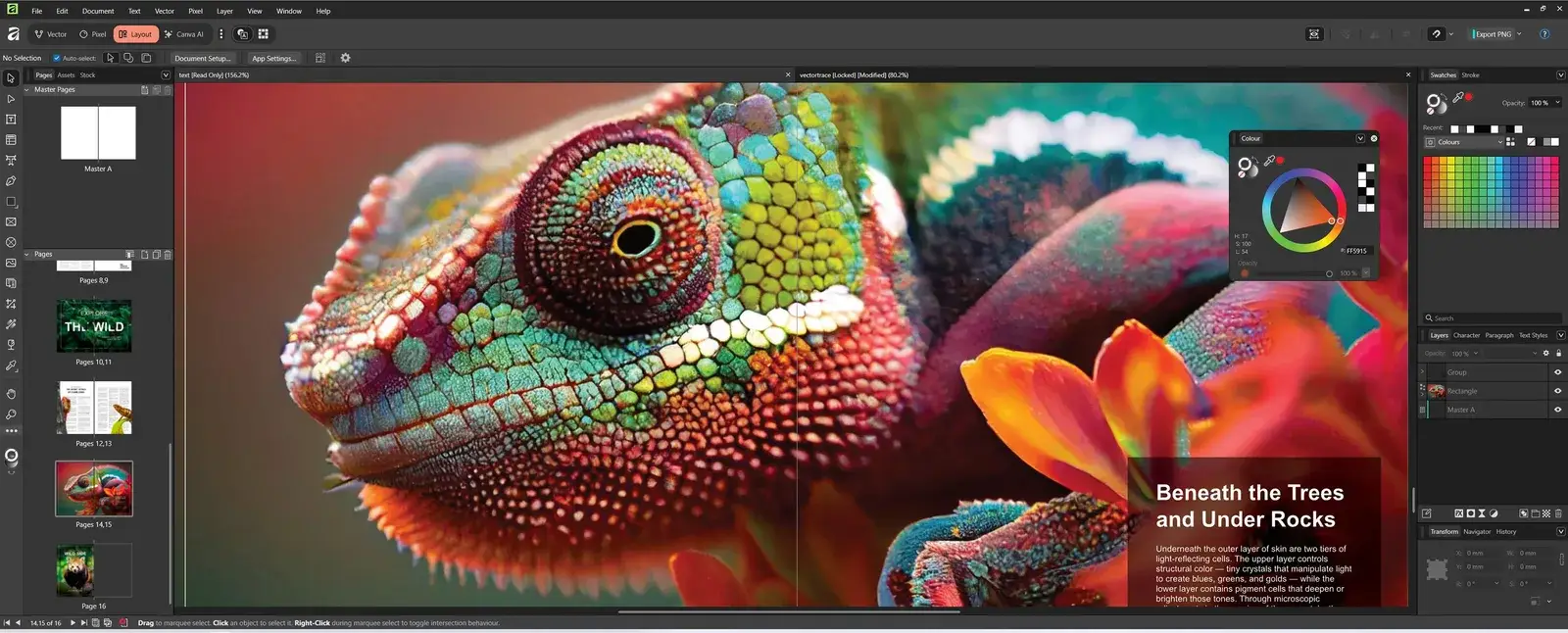
For people who used remove.bg's Photoshop plugin, remove.bg's FAQ suggests Affinity, Canva's desktop editor, which "has remove.bg's background removal technology built directly into its editor". Affinity's help center puts it under Pixel > Remove Background, or in the Canva AI Studio, on desktop and iPad. The cutout is made on the pixel layer itself, so the help center suggests running it on a duplicate layer and refining it with a mask layer and the Paint Brush.
Good at
- A full layered editor for photos, design and page layout around the cutout.
- Fixing the edge with ordinary layers and masks.
Keep in mind
- The Affinity site says the app costs nothing for individuals, but Remove Background is a premium feature that needs a Canva premium plan.
- It has no settings: it runs once on the layer, and any fixing is by hand.
Best for: designers who removed backgrounds from inside Photoshop with the plugin and are open to a different desktop editor.
Link: affinity.studio
7. Photoshop: Remove Background built in, no plugin needed
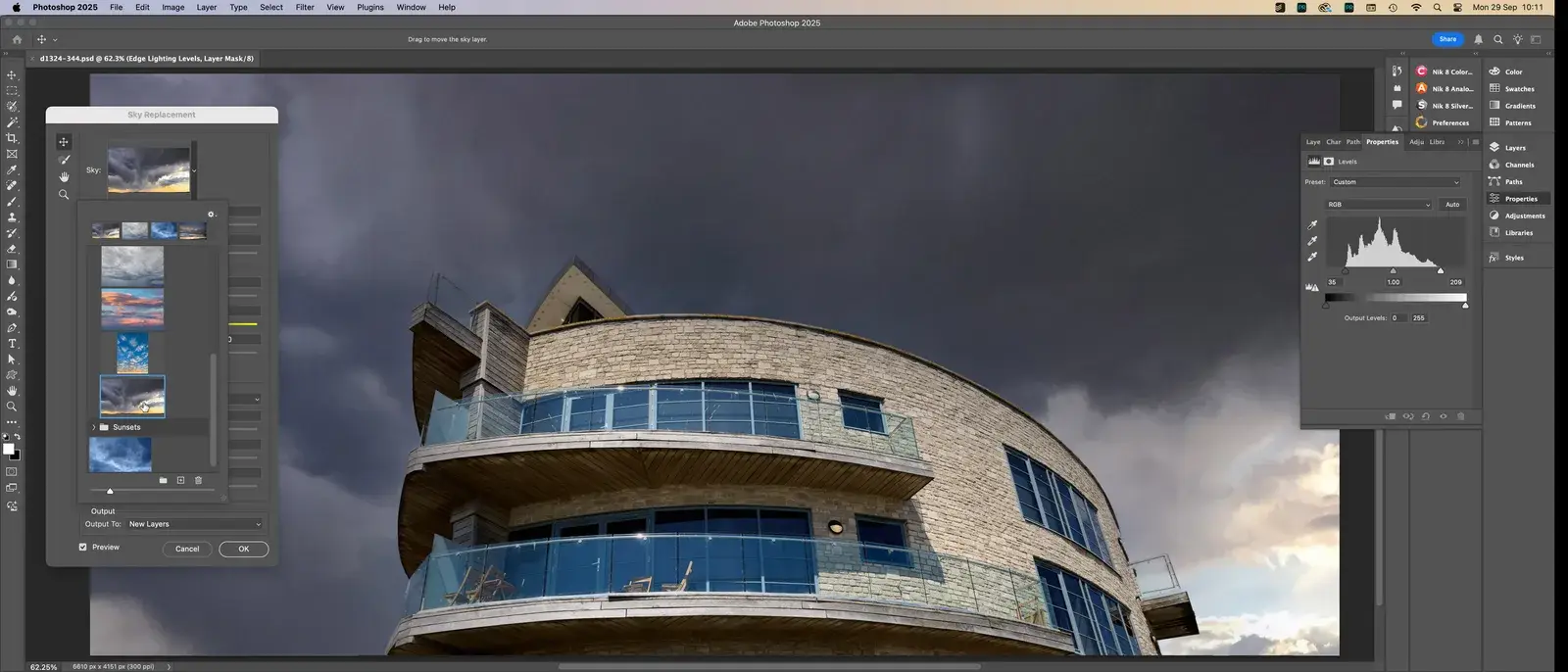
If you used the remove.bg plugin in Photoshop, Photoshop already has its own button for the job. Adobe's help page describes the Remove Background quick action in the Discover panel: select an unlocked image layer, choose Browse > Quick Actions > Remove Background, and Photoshop isolates the subject and creates a transparent background or a masked layer. Adobe's tip is to refine the mask with the Brush tool when the result isn't perfect.
Good at
- The cutout lands as a mask on your layer, without a plugin or a second service.
- Photoshop's full selection and masking tools for hard edges, plus its actions for repeating the job.
Keep in mind
- Its plans page sells Photoshop only as a Creative Cloud subscription, billed monthly or annually, with a monthly allowance of generative credits.
- It is a large desktop app to learn if all you need is a cutout.
Best for: Photoshop users who relied on the remove.bg plugin. Compare it with other editors in our Photoshop alternatives.
Link: adobe.com/products/photoshop
If you use the remove.bg API
Enterprise contracts carry on, but the self-service API stops accepting requests from 1 December 2026, so every self-service key stops working. Leonardo.Ai's announcement (August 28, 2026) says it offers the same background removal on a synchronous endpoint that matches remove.bg's call pattern, accepts a file upload or an image URL, and doesn't store images on the Sync API. You need a new Leonardo.Ai account and API key, because remove.bg credentials don't carry over. Its standard rate limit is 100 images per minute, against remove.bg's 500, with higher limits on request.
The migration guide maps remove.bg's parameters: the same size options (preview, auto, full and 50MP), PNG, JPG or WebP output (no ZIP), JSON responses with a result URL or base64, and a cost reported with every response. Photoroom's API and Pixelcut's API are the other options; Photoroom lists a sandbox for testing at no charge and an FAQ on switching from remove.bg. Run your own test images through any of them before you move production traffic.
Which remove.bg alternative fits your work
You removed backgrounds from single photos
Try Canva if you design there, Adobe Firefly if you have an Adobe account, or the Pixuvia background remover if you want a method that uses no credits and an editor to fix the edge. Our tutorial on how to remove the background from a photo walks through checking and fixing a cutout.
You ran folders through the desktop app
Canva takes up to 50 images per folder on paid plans; Pixelcut and Photoroom are built for larger batches and marketplace sizes.
You called the API
Start with Leonardo.Ai's migration guide, which keeps the closest call pattern, and compare Photoroom's and Pixelcut's APIs on formats, rate limits and how calls are billed.
You worked through the Photoshop plugin
Use Photoshop's own Remove Background quick action, or Affinity if you have a Canva premium plan. Both leave a mask you can paint, the same way Pixuvia's Editor does.
Whichever you choose, test it on your hardest photo first, check the edges at full size, and use up any remove.bg credits before 1 December 2026.
Questions
Is remove.bg shutting down?
remove.bg announced that its standalone website closes on 1 December 2026 at 9:00 a.m. CET. Its FAQ says background removal moves to Canva and API access to Leonardo.Ai, both owned by Canva. Enterprise API contracts continue as normal; the self-service API, the desktop app, the Photoshop plugin and the other plugins and integrations end on that date.
What happens to my remove.bg credits?
According to remove.bg's FAQ, unused pay-as-you-go credits expire on 1 December 2026, and it recommends using them before then. Annual subscriptions end that day with a pro-rata refund for unused time, sent to the original payment method; monthly subscriptions end automatically. Export your credit usage report and invoices from your account page before the date, as they can't be downloaded afterward.
What is the best remove.bg alternative?
It depends on how you used remove.bg. For single photos, try Pixuvia's background remover, Canva or Adobe Firefly. For product photos and batches, Photoroom or Pixelcut. For the API, remove.bg points to Leonardo.Ai, and Photoroom and Pixelcut also sell background removal APIs. If you used the Photoshop plugin, Photoshop's own Remove Background or Affinity's Canva AI version does the job inside the editor.
Which background remover does remove.bg recommend?
Canva's Background Remover for the website and the desktop app, which its FAQ says uses the same background-removal technology, and Leonardo.Ai's API for developers. For the Photoshop plugin it suggests Affinity, whose Remove Background runs on Canva AI and needs a Canva premium plan.
Can I remove a background without credits?
Yes. Pixuvia's Standard method uses no credits and suits a clear subject on a simple background; its AI method uses credits and gives cleaner edges on hair and fur. Adobe Firefly gives signed-in users daily generations they can spend on background removal, and Pixelcut's plan at no cost includes limited background removal.
Which remove.bg alternatives remove backgrounds in bulk?
Canva removes backgrounds from up to 50 uploaded images in a folder on paid plans. Photoroom lists Batch and an API, and Pixelcut says its bulk tool takes up to 10,000 images in one batch and downloads them as a ZIP. Pixuvia's background remover works on one image at a time.
Sources
- remove.bg: remove.bg is moving to Canva (FAQ)
- Leonardo.Ai: remove.bg API is moving to Leonardo.Ai
- Leonardo.Ai Docs: Migrate from the remove.bg API to Leonardo.Ai
- AlternativeTo: Remove.bg shuts down standalone service and moves to the Canva ecosystem (September 14, 2026)
- Canva: Background Remover
- Canva Help Center: Remove photo and video backgrounds
- Canva: Pricing
- Photoroom: Background Remover
- Photoroom: Pricing
- Photoroom Help Center: How to use Background Remover
- Photoroom: API
- Adobe Firefly: Remove background
- Pixelcut: Background Remover
- Pixelcut: Pricing
- Affinity Help Center: Remove Background (Canva AI)
- Affinity: home page
- Adobe Photoshop Help: Remove background in your images
- Adobe: Photoshop plans
- Creative Bloq: Affinity by Canva review (screenshot)
- Digital Camera World: Adobe Photoshop review (screenshot)