Picsart alternatives: apps and sites for quick AI photo edits
By Pixuvia · · Updated
A post made in Picsart often goes like this: remove a background, swap an object with AI Replace, stretch the frame for a story, add a sticker and a caption, then share. Which of the Picsart alternatives below fits depends on the part of that you use. For quick AI edits on a photo you already took, look at the Pixuvia Studio, Pixlr or Adobe Express. For posts built from templates, Canva or Adobe Express. For photo and video in one app, CapCut. For product photos, Photoroom. For an iPhone app full of AI effects, Photoleap.
We make Pixuvia, and it appears in this list as one entry, with what it lacks. Every fact about Picsart and the other apps comes from their own websites and help pages, checked in November 2026, with links in the sources. We describe how each one is paid for, not what it costs, since prices change by country and by month.
On this page
- Why people look for a Picsart alternative
- What to look for in a Picsart alternative
- Picsart alternatives compared
- 1. Pixuvia: one-job AI tools in the browser, with a layered editor behind them
- 2. Canva: templates first, with AI photo tools inside the design
- 3. Adobe Express: quick edits and templates, on the web and on phones
- 4. CapCut: photos and video for short-form creators
- 5. Pixlr: quick AI tools and a full editor under one account
- 6. Photoroom: background removal and product photos
- 7. Photoleap: AI effects on the iPhone
- Which Picsart alternative fits your work
- Questions
- Sources
Why people look for a Picsart alternative
Picsart covers a lot of ground. Its photo editor page lists crop and resize presets, filters and effects, text, overlays and stickers, batch editing and creative templates for posts, invites and thumbnails. The AI side lists a background remover, AI Replace, object removal, an image enhancer and upscaler, an unblur tool, an AI image generator with models such as Flux, Nano Banana and Seedream, an AI video generator and Picsart Aura, a chat-based assistant. It runs on the web, on desktop and on phones, with apps in the App Store, Google Play, Huawei AppGallery and the Microsoft Store, and it syncs work between mobile and web.
Most of that sits behind a subscription paid in credits. Picsart's pricing page lists two plans, Pro and Ultra, billed monthly or yearly. Pro lists a fixed monthly credit allowance, all photo and video editing features, premium templates, bulk edits of up to 50 images and cloud storage. Ultra is marked "5x Pro" and adds access to more than 200 AI image, video and audio models, team seats and add-on credits that never expire. The page doesn't describe a plan at no cost.
Picsart's own guide to AI credit costs explains how credits are spent. It says that "each AI model costs a different number of credits", that AI editing tools cost more or less depending on the tool, and that "monthly credits reset each billing cycle and don't roll over". Its trial gets "limited credits to test features". Its AI Expand page says you can try the tool with a limited number of expands at no cost and need a subscription for more. If you use one or two AI tools a few times a week, a plan built around hundreds of models may be more than you need, so it is worth comparing what else is out there.
What to look for in a Picsart alternative
Apps and sites like Picsart differ most on five points:
- The AI tools you actually use. Remove background, erase an object, replace or add something, expand the frame, upscale. Check that each one is there, not only an image generator.
- Where it runs. A native app for iPhone or Android, a website that works in a phone's browser, or both. If you switch between phone and laptop, check that your work follows you.
- How AI is paid for. Nearly every app here counts AI use in credits or an allowance inside a plan. Read whether unused credits roll over and whether some tools cost nothing.
- Templates, stickers and stock. If most of your posts start from a template, a design app suits you better than a photo editor.
- How far you can take an edit. One-tap tools are fast, but layers and masks let you fix what the AI got almost right.
Picsart alternatives compared
| App | Where it runs | How you pay | Templates and stickers | Best for |
|---|---|---|---|---|
| Pixuvia | Web browser on phone, tablet and computer; no native app | AI tools use credits (see pricing); classic tools use none | Text styles, collages, frames and a sticker maker; no stock or template library | One-job AI edits, plus a layered Editor |
| Canva | Web browser; its plan comparison also lists Canva Offline | A plan at no cost, then Pro, Business and Enterprise, with a monthly AI allowance | A very large template and element library | Social posts and designs from templates |
| Adobe Express | Desktop browsers and mobile phones | A plan at no cost; Premium and Firefly Pro add generative credits | Static and video templates, premium ones on Premium | Quick edits inside branded designs |
| CapCut | Web, desktop, tablet and mobile apps | A plan at no cost; Pro adds AI features and credits | Templates and stickers | Creators who edit video as well as photos |
| Pixlr | Web, desktop and iOS and Android apps | Plus, Premium and Ultra plans with monthly AI credits | Collages and an AI sticker maker | The closest mix of quick AI tools and a full editor |
| Photoroom | iPhone, iPad and Android apps, web, Shopify app | Pro, Max and Ultra plans with monthly AI credits and exports | Brand library and resize presets for marketplaces | Product photos for online shops |
| Photoleap | iOS only | Subscription after a 7-day trial | AI filters, overlays and collages | AI effects and edits on an iPhone |
All facts in this table were checked on each maker's own site in November 2026.
1. Pixuvia: one-job AI tools in the browser, with a layered editor behind them
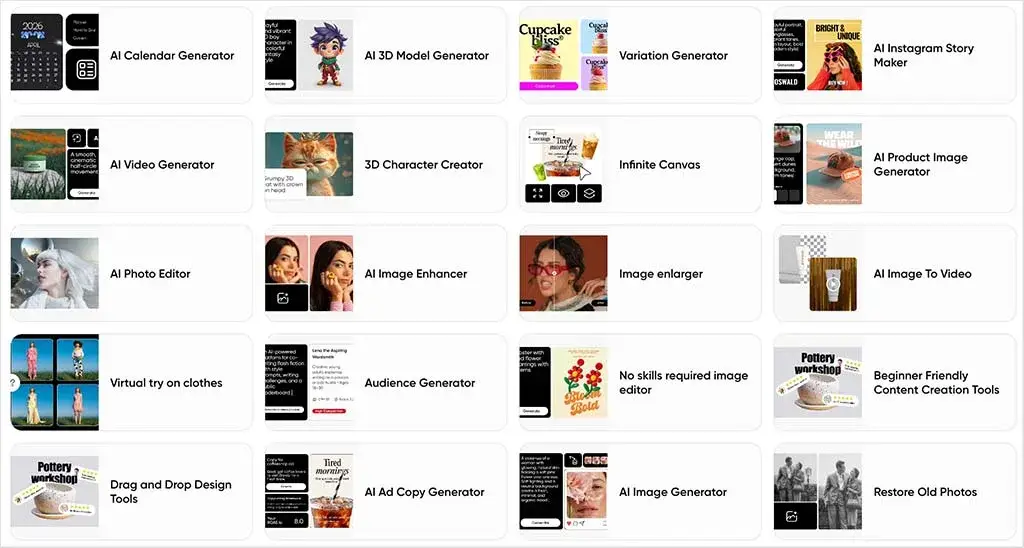
Pixuvia has two editors. The Studio is built around one-job AI tools: remove a background, erase an object, generative fill, expand the frame, upscale, relight, edit by prompt and an AI sticker drawn from words. Next to them sit tools that use no credits at all: adjustments, filters and effects, crop and resize to social sizes, text with ready-made styles, collages, grid splits and carousels, frames, and a Sticker maker that cuts out the subject and adds an outline. The Editor is a Photoshop-style layered editor for when a one-tap result needs fixing by hand, and it offers the same AI tools in its menus, each result landing as a new layer.
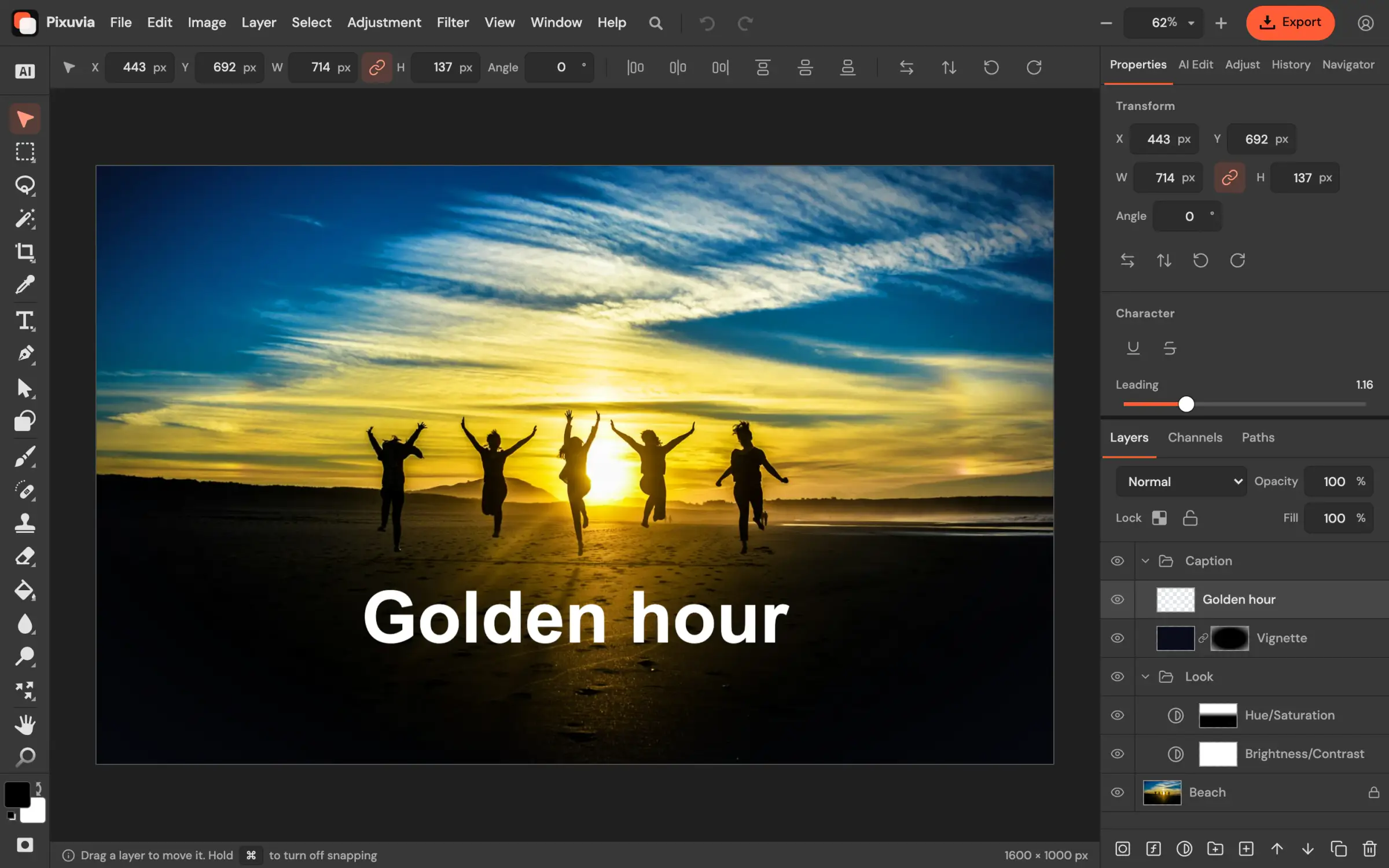
The Studio and the Editor both run in the browser, so the same tools work on a phone, a tablet or a computer. Each AI tool also has its own page where you can do the job straight away: the background remover, object remover, image extender, image upscaler and the AI photo editor for edits by prompt.
Good at
- The AI jobs social creators use most, one tool per job, with a choice of faster or higher-quality models and the credit cost shown on the button.
- A Standard background removal that uses no credits, next to the AI one for harder edges.
- Layers, layer masks, adjustment layers and editable text in the Editor, with PSD files that open and save with their layers.
- Runs in any modern browser on phones, tablets and computers, with nothing to install.
Keep in mind
- There is no native iPhone or Android app, and no social feed or community to share to.
- No stock photo, sticker or post template library; you bring your own photos.
- No video editing, and no AI video generation.
- AI tools need a sign-in and use credits; plans are on the pricing page.
Best for: people who use Picsart mainly for a handful of AI edits on their own photos, and who want layers on hand when an edit needs more control.
2. Canva: templates first, with AI photo tools inside the design
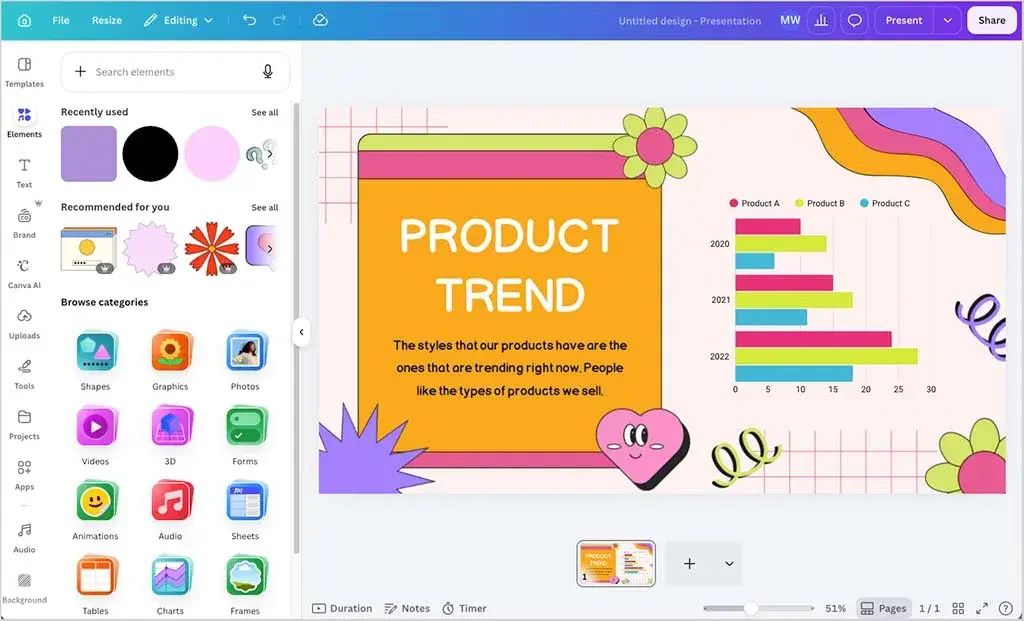
Canva is the pick when your Picsart work starts from a template rather than a photo. Its pricing page lists a plan at no cost plus Pro, Business and Enterprise plans, with far more templates and elements on the paid ones. The photo tools live inside the design editor: Canva's help center describes Magic Eraser for erasing objects, Magic Edit for replacing or adding something in a brushed area from a prompt, Magic Grab for lifting a subject out of a photo to move it, Magic Expand for growing the frame, and a Background Remover on paid plans.
Good at
- A very large library of templates and elements for posts, stories, thumbnails and presentations.
- AI photo edits applied right where the photo sits in a layout.
- Brand kits and, on Pro and above, social scheduling.
Keep in mind
- Its pricing page says AI tools share a monthly allowance that varies by plan, that more advanced tools use more of it, and that the plan at no cost has limited access; Pro lists ten times the AI of that plan, with an AI Pass add-on.
- It is a design app first: fine pixel work on a single photo is not its focus.
Best for: creators whose posts are mostly layouts with text, where the photo is one part of the design. Our Pixlr vs Canva comparison goes deeper into photo editor versus design app.
Link: canva.com
3. Adobe Express: quick edits and templates, on the web and on phones
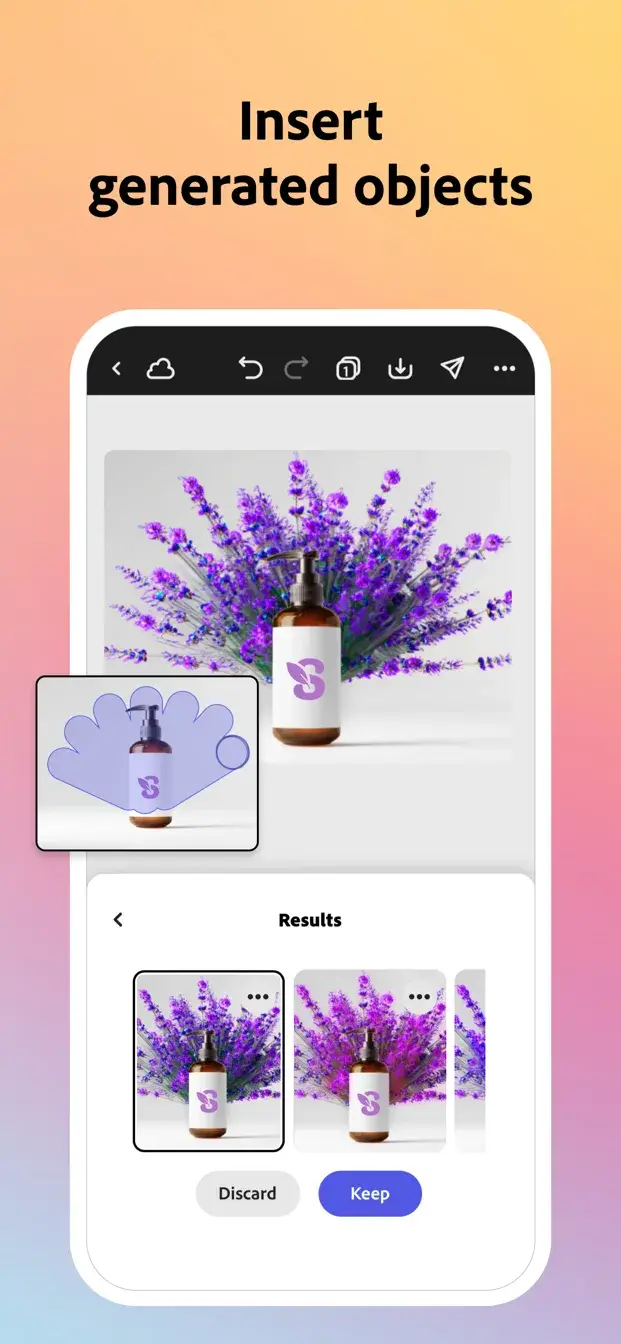
Adobe Express mixes Canva-style templates with quick photo edits backed by Adobe's Firefly models. Its pricing page lists three plans for individuals: one at no cost, with access to static and video templates and daily generations, Premium, with all premium templates and a monthly allowance of generative credits, and Firefly Pro, with far more credits and Photoshop on web and mobile. It says each plan works in desktop browsers and on mobile phones.
On a phone, Adobe's help center describes the tools a Picsart user reaches for: Remove background, with a transparent PNG export, and a Generative fill section where you brush over an object to remove it or describe something to insert.
Good at
- Templates, fonts and brand kits next to quick photo edits.
- Generative fill and background removal in the mobile app as well as on the web.
- A clear path to Photoshop and Firefly if you outgrow it.
Keep in mind
- Its pricing FAQ lists background removal among the premium editing features.
- Generative AI is counted in credits; heavier AI use pushes you toward the higher plans.
Best for: Picsart users who want templates and quick AI edits from a brand they may already use for other Adobe apps.
Link: adobe.com/express
4. CapCut: photos and video for short-form creators
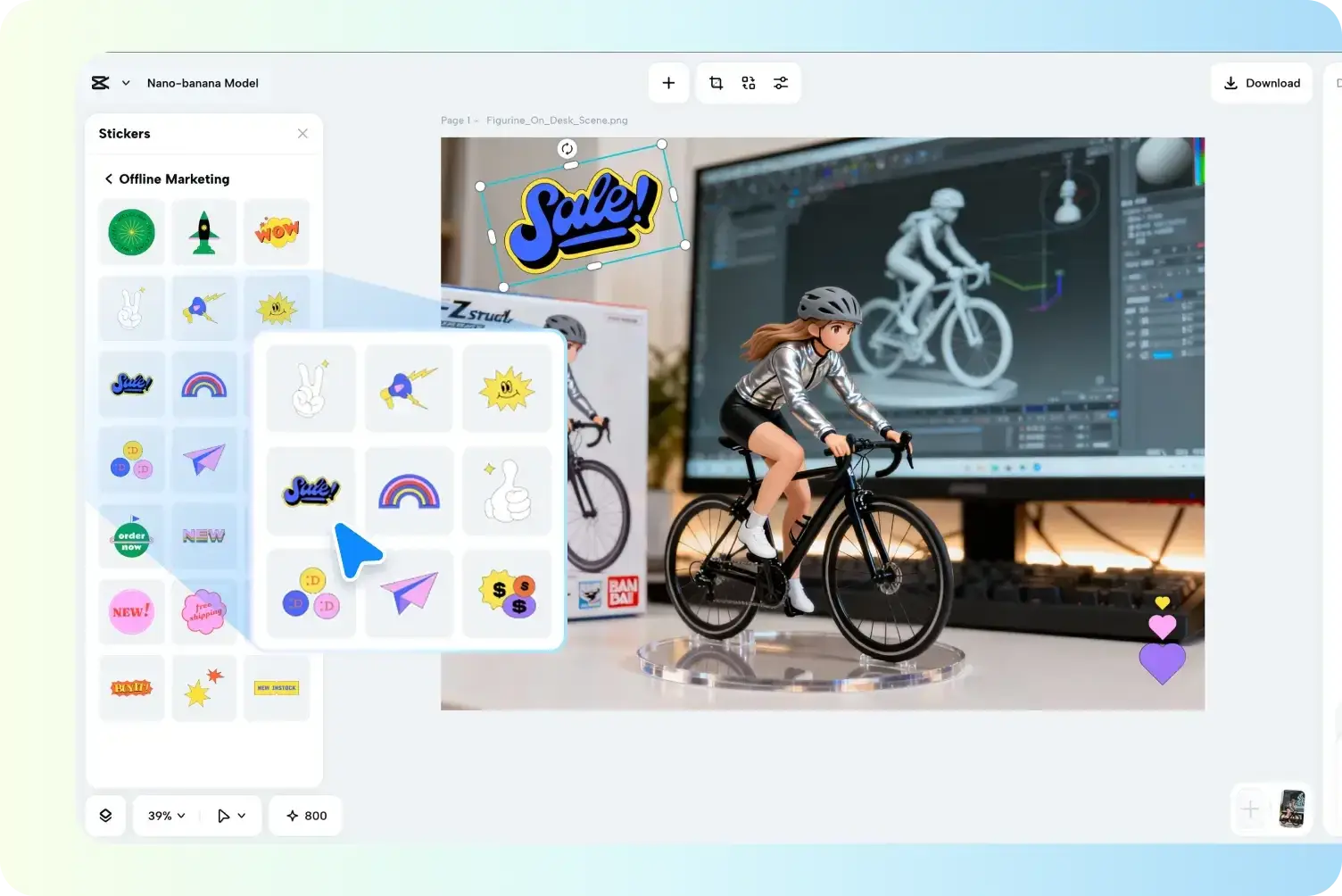
CapCut is best known as a video editor, but its online photo editor lists an image background remover, a people remover, a text remover, AI inpainting, an image enhancer and upscaler and an AI image generator, along with templates and stickers. It runs in the browser, as a desktop download and on phones, and the page says you log in with an account (Google, Facebook and TikTok sign-ins are offered).
Good at
- One account for photo posts and short videos, which suits TikTok and Reels creators.
- Templates and stickers made for social content.
- Removal tools for people and text as well as backgrounds.
Keep in mind
- Its pricing page lists a plan at no cost with templates and basic editing tools; Pro adds AI features, premium templates, AI credits and cloud storage, with a 7-day trial for new users where available.
- The photo page does not list an AI expand tool by name.
Best for: creators who split their time between photo posts and short video and want one app for both.
Link: capcut.com
5. Pixlr: quick AI tools and a full editor under one account
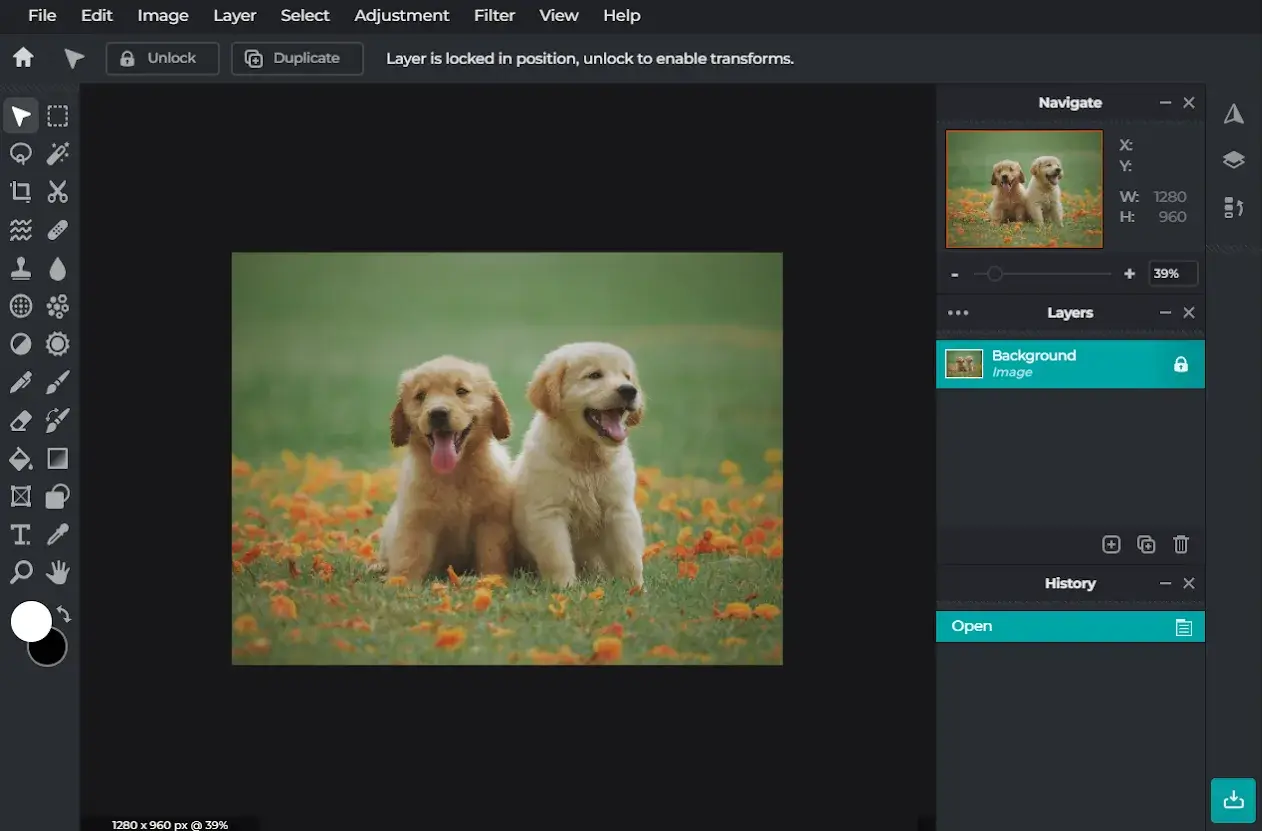
Pixlr is the closest match in shape to Picsart's photo side. Pixlr Express lists a background remover, generative fill ("mark an area and write a prompt to generate/replace anything"), a generative expand, an object remover, an AI sticker maker, an upscaler, a noise remover, backdrops, face swap and a collage maker. Pixlr Editor adds layers for heavier work. Its pricing page says it runs on the web, on desktop and in apps for Android and iOS, with one subscription covering all of them.
Good at
- Most of the AI edits Picsart is known for, in a quick editor built for them.
- A layered editor in the same account when a one-tap edit isn't enough.
- Credit packs that, its pricing page says, don't expire.
Keep in mind
- Plus, Premium and Ultra plans each include monthly AI credits; subscription credits reset at each renewal and drop to zero if you cancel.
- Use without ads is listed as a feature of the paid plans.
Best for: Picsart users who want the same quick AI tools plus a layered editor, on web and phone. See more options in our Pixlr alternatives list.
Link: pixlr.com
6. Photoroom: background removal and product photos
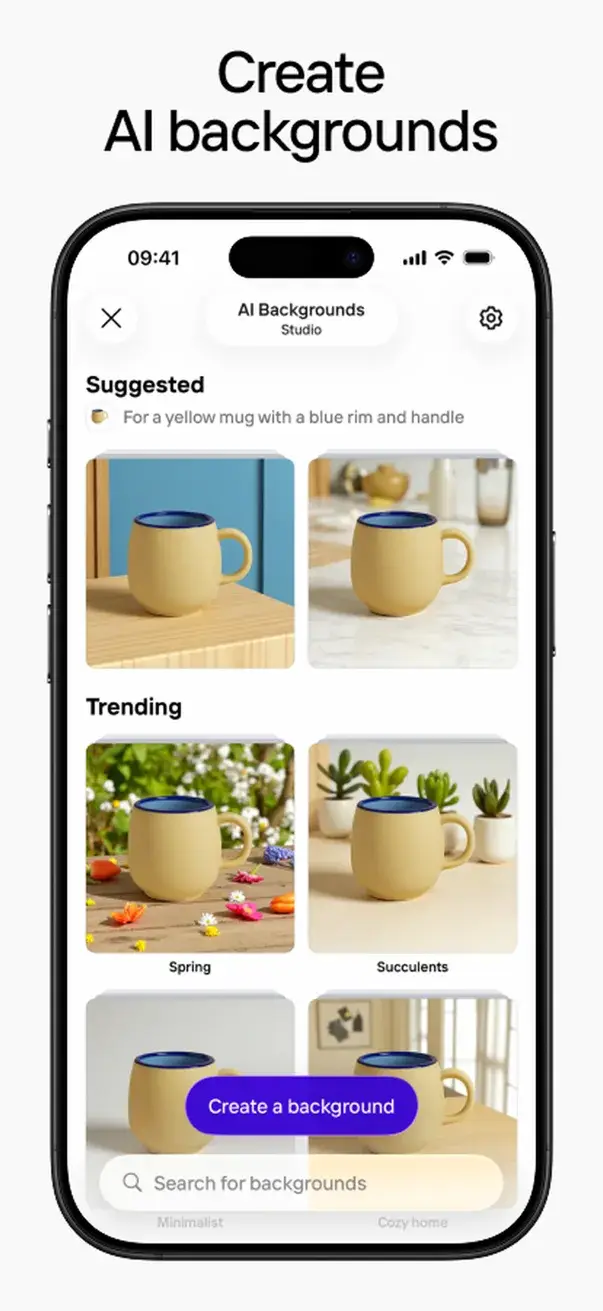
If you use Picsart mostly to cut out products and drop them onto clean backgrounds for a shop, Photoroom is built for that job. Its home page lists a background remover, AI shadows, recolor, product staging in lifestyle scenes, instant resize for Instagram, Amazon and Shopify, and batch editing in the web app. Its pricing page lists apps for iPhone, iPad and Android, a web app, a Shopify app and a separate API.
Good at
- Clean cutouts and backgrounds for product listings, with resize presets for marketplaces.
- Batch edits across many photos at once.
- Core tools such as the background remover, retouch, AI Fill and AI Expand that its pricing FAQ says use no credits, within fair-use limits.
Keep in mind
- Its pricing page lists Pro, Max, Ultra and Enterprise plans with monthly AI credits and export limits; it doesn't describe a plan at no cost.
- It is aimed at sellers, so it has fewer effects, filters and fun stickers than Picsart.
Best for: sellers and small brands who need product photos more than social effects. For background removal alone, see our remove.bg alternatives.
Link: photoroom.com
7. Photoleap: AI effects on the iPhone
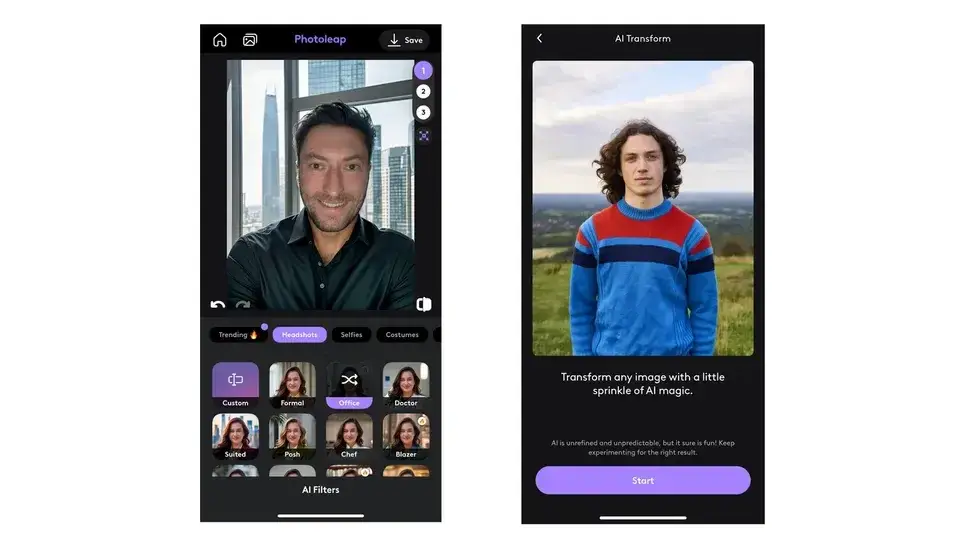
Photoleap, from Lightricks, is the most Picsart-like app on this list in tone: lots of AI effects and trends, built for a phone. Its site lists background removal, object removal, AI Replace, an AI image extender, an upscaler, AI filters and photo-to-art effects, face swap, image to video, overlays, double exposure, text and collages. It also says it is "available for iOS only", with a 7-day trial before the subscription.
Good at
- A wide range of AI effects and trend filters made for social posts.
- The core edits too: remove, replace, extend and upscale.
Keep in mind
- iOS only, so it doesn't help on Android or a computer.
- Its site leads with the trial and the subscription; it doesn't describe what is available without one.
Best for: iPhone users who use Picsart for AI effects and want a similar app with a different set of looks.
Link: photoleapapp.com
Which Picsart alternative fits your work
You mostly run a few AI edits on your own photos
Pick the Pixuvia Studio or Pixlr Express. Both give each AI job its own tool, and both run in a phone's browser. In Pixuvia, the Standard background removal and the classic tools use no credits, so credits go only to the AI runs. Our tutorials show the common jobs step by step: remove a background, remove an object and extend a photo's background.
You start most posts from a template
Pick Canva or Adobe Express. Both put templates, fonts and brand kits next to AI photo tools such as background removal, erasing and generative fill. CapCut fits if your posts are as often videos as photos.
You live on your phone
Pixlr and Photoroom list apps for iPhone and Android, CapCut has a mobile app, Adobe Express says it works on mobile phones, and Photoleap is for iOS only. Pixuvia has no app but works in the phone's browser; you can crop for social media or add text to a photo the same way on a phone as on a laptop.
You need more control than one tap gives
When an AI result is almost right, layers let you fix the last part by hand. Open the photo in the Pixuvia Editor or Pixlr Editor, keep the AI result on its own layer, and paint a mask to blend it. Our guide to how layers work covers the basics, and the generative fill tutorial shows the AI side.
Whichever you choose, try it on a few of your own photos before you subscribe, and check what a credit buys for the tools you use most.
Questions
What is the best alternative to Picsart?
It depends on what you use Picsart for. For quick AI edits on a photo (remove a background, erase something, expand the frame), try Pixuvia's Studio, Pixlr or Adobe Express. For posts built from templates, Canva or Adobe Express. If you also edit video for TikTok or Reels, CapCut. For product photos, Photoroom, and for an iPhone-only app full of AI effects, Photoleap.
Which apps are like Picsart?
Pixlr, Photoleap and CapCut are the closest in spirit: AI edits, effects and stickers in one app, with mobile apps (Photoleap only on iOS, and without a web version). Canva and Adobe Express lean more on templates, Photoroom on product photos.
Is there a Picsart alternative online, without installing an app?
Yes. Pixuvia, Canva, Adobe Express, Pixlr, Photoroom and CapCut all run in a web browser. Pixuvia runs only in the browser, on phones, tablets and computers; it has no app to install. Photoleap is the exception here: its site says it is available for iOS only.
How do Picsart credits work?
Picsart sells Pro and Ultra subscriptions, monthly or yearly, each with a monthly allowance of AI credits. Its own guide says each AI model costs a different number of credits, that monthly credits reset each billing cycle and do not roll over, and that a trial comes with limited credits. Its pricing page also lists add-on credits that never expire for Ultra.
Do Picsart alternatives charge for AI tools?
Most do. Canva counts AI use against a monthly allowance that grows with the plan, Adobe Express and Pixlr sell generative or AI credits inside their paid plans, CapCut adds credits with Pro, and Photoroom's plans come with monthly AI credits. In Pixuvia, AI tools need a sign-in and use credits; the Standard background removal and the Studio's filters, text, collages and frames use none.
Which Picsart alternative is best for stickers and cutouts?
Pixlr Express has an AI sticker maker that works from a prompt. Pixuvia's Studio has a Sticker maker that cuts out the subject and adds an outline, plus an AI sticker tool that draws one from words. CapCut and Canva have large sticker and element libraries to drop onto a photo.
Sources
- Picsart: Photo editor
- Picsart: Pricing
- Picsart: Understand AI credit costs and model pricing
- Picsart: AI image extender
- Picsart: AI Replace
- Style Factory: Picsart review (screenshot)
- Canva: Pricing
- Canva Help Center: Erase or retouch photos
- Canva Help Center: Magic Grab
- Canva Help Center: Expand images
- Canva Help Center: Remove photo and video backgrounds
- Style Factory: Canva review (screenshot)
- Adobe Express: Pricing
- Adobe Express Help: Remove image backgrounds on mobile
- Adobe Express Help: Remove objects using Generative fill
- CapCut: Online photo editor
- CapCut: Pricing
- Pixlr: Pixlr Express
- Pixlr: Pricing and FAQ
- Photoroom: home page
- Photoroom: Pricing
- Photoleap: home page
- Methods: Pixlr review (screenshot)