Photoshop Relight and Generative Restyle: what Adobe added at MAX 2026
By Pixuvia · · Updated
Photoshop Relight and Generative Restyle are the two AI tools Adobe added to Photoshop on the desktop at Adobe MAX 2026 in Miami Beach (November 10 to 12). Relight places up to three lights on a photo and lets you move them and change their color, intensity and softness, with the result on its own layer. Generative Restyle turns a Prompt to edit result into a layer with a slider, so you can dial the change up or down without writing a new prompt. Both shipped in Photoshop 28.0 and use generative credits.
Below is what each tool does in Adobe's own words, how the layers work, what they cost and where they stop, what else Adobe announced around them, and how to relight a photo in the browser.
On this page
What does Photoshop Relight do?
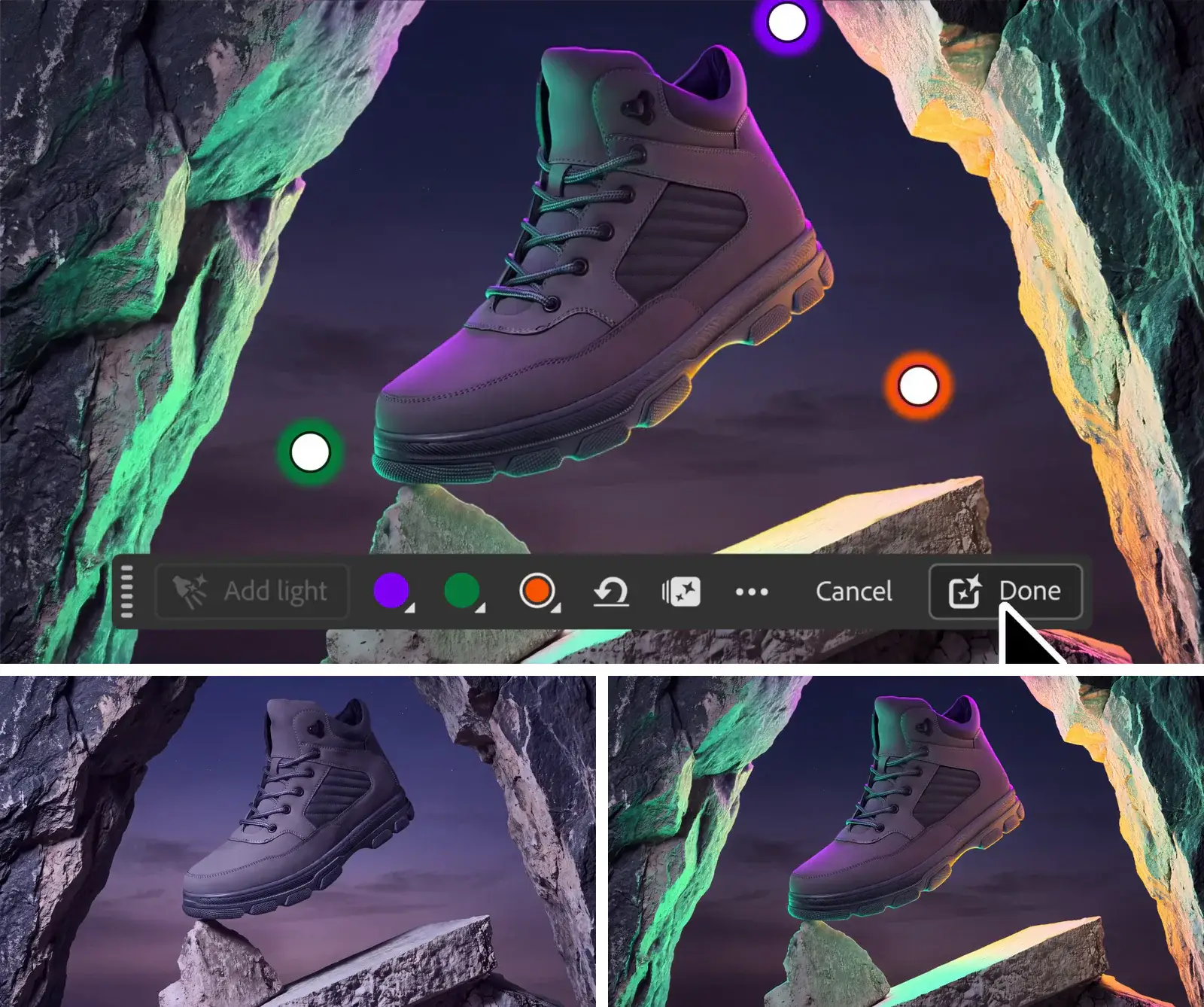
Relight adds up to three lights to a photo and blends them into the existing light. Adobe's announcement says Relight "creatively adds new light sources that dynamically and naturally blend into the scene using non-destructive control", where you adjust "their position, color and brightness". Adobe's community post adds the details: the tool "detects the existing lighting in your image and intelligently builds on it", you can add up to three custom light sources, and each has position, color, intensity and diffusion. At least one light is required.
While you drag lights around, Photoshop shows a low-resolution preview. When you select Done, it "renders the final image at full resolution". You need an internet connection, because the rendering is done by Adobe's generative AI.
Do Relight and Generative Restyle change the original photo?
No. Neither tool writes over your photo. Relight creates a Relight Layer in the Layers panel, "leaving the original pixels untouched", in the words of Adobe's beta notes. Select that layer later and choose Edit Lighting to move the lights again; hide it to see the original. Adobe's notes also say Relight works on the active layer only, and the beta notes list unlocked pixel and Smart Object layers among the layers it accepts.
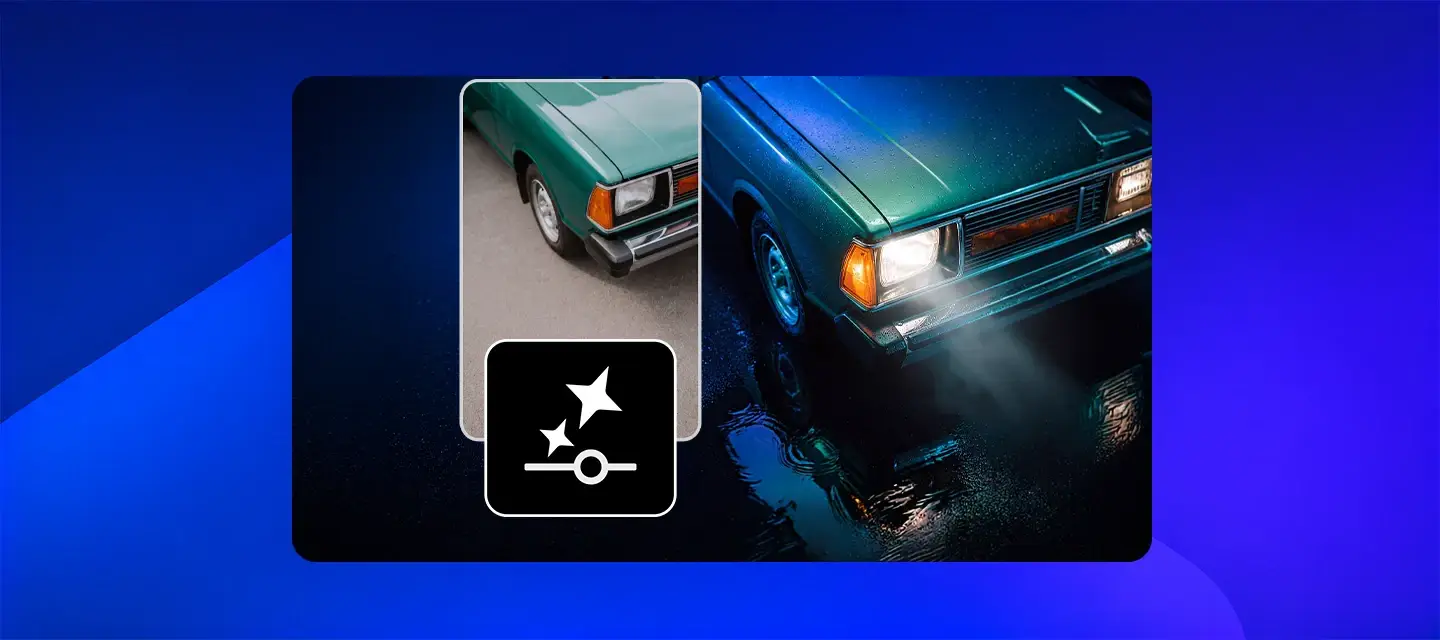
Generative Restyle starts from a Prompt to edit result. Select the whole image, describe the change, generate, then choose Generative restyle in the Contextual Task Bar. Photoshop converts the result into a restyle layer and adds a custom slider to the Properties panel and the task bar, to "fine-tune the image attributes and control the intensity of the generated result". Adobe says the effect stays editable, so you can return to the layer and keep adjusting it.
This is the same idea Photoshop has used for years with adjustment layers and Smart Filters: keep the original and stack the change on top. Our explainer on non-destructive editing covers why that matters.
Who gets Relight and Restyle, and what do they cost?
Both tools are released in Photoshop 28.0 on the desktop. Relight uses 30 generative credits per generation, and Generative Restyle uses 80 to create its layer.
| Relight | Generative Restyle | |
|---|---|---|
| Where | Photoshop on the desktop, version 28.0 | Photoshop on the desktop, version 28.0 |
| Status | Released (in the beta app since September 2026) | Released |
| Credits | 30 generative credits per generation (each Done) | 80 generative credits to create the layer, plus the Prompt to edit run |
| Result | A Relight Layer you can edit later | A restyle layer with its own slider |
| Limits | 1 to 3 lights per layer; active layer only; internet required | Needs a Prompt to edit result first |
Adobe's MAX posts do not list which Creative Cloud plans include how many generative credits; that is in Adobe's generative credits FAQ and changes with the plan. Adobe also does not say whether either tool is coming to Photoshop on the web or on iPad. As of November 2026, both are described as desktop features.
What else is new in Photoshop 28.0?
Photoshop 28.0 brought more than lights. From Adobe's announcement:
- Remove Tool (related elements): detects footprints, reflections, shadows and waves around an object and removes them with it.
- Quick Compare: an on-canvas split-screen slider for before and after, without hiding layers by hand.
- AI Assisted Editor: a simpler, prompt-first workspace, with a switch to the full Pro Editor at any time.
- In the Photoshop beta app: Mockups, Camera Angles, Generative Recompose, Convert to Text Layers, Timelapse and Remove Ambient Effect Only.
Adobe's MAX news also reached beyond its own apps: Adobe-powered editing is coming to the Windows 11 Photos app, as our post on Adobe AI tools in Windows 11 Photos explains.
Can AI agents use Photoshop through MCP?
Not yet. Adobe is previewing MCP integrations for Photoshop and plans them for early 2027. Adobe also said it is "expanding the Adobe Creative Agent across Creative Cloud". The new AI Assistant (beta) it named in that section is for Premiere, Illustrator, InDesign, After Effects and Frame.io; the post does not list Photoshop there.
The Photoshop news in that section is MCP, the Model Context Protocol that lets AI agents call other apps. Adobe is "previewing MCP integrations" that let "the third-party agent you already use" call Photoshop, Illustrator, Premiere and After Effects. "Because it runs locally on your computer, your agent works directly in your native project files," and layers stay editable. Adobe's example: remove a logo once, then ask the agent to repeat the change across a whole campaign. TechCrunch reports that the idea is to let chatbots such as ChatGPT, Claude or Gemini use Adobe features. Adobe says MCP integrations are coming to Creative Cloud customers in early 2027.
How to relight a photo without Photoshop
If you don't use Photoshop, the Pixuvia Studio has a Relight photo tool under AI tools (or tap Fix the lighting on its start screen). It is simpler than Adobe's: one main light instead of up to three, and no lights to drag on the photo. You pick where the light comes from (left, top or right), set Strength and Warmth, and choose a Fast or Pro model.
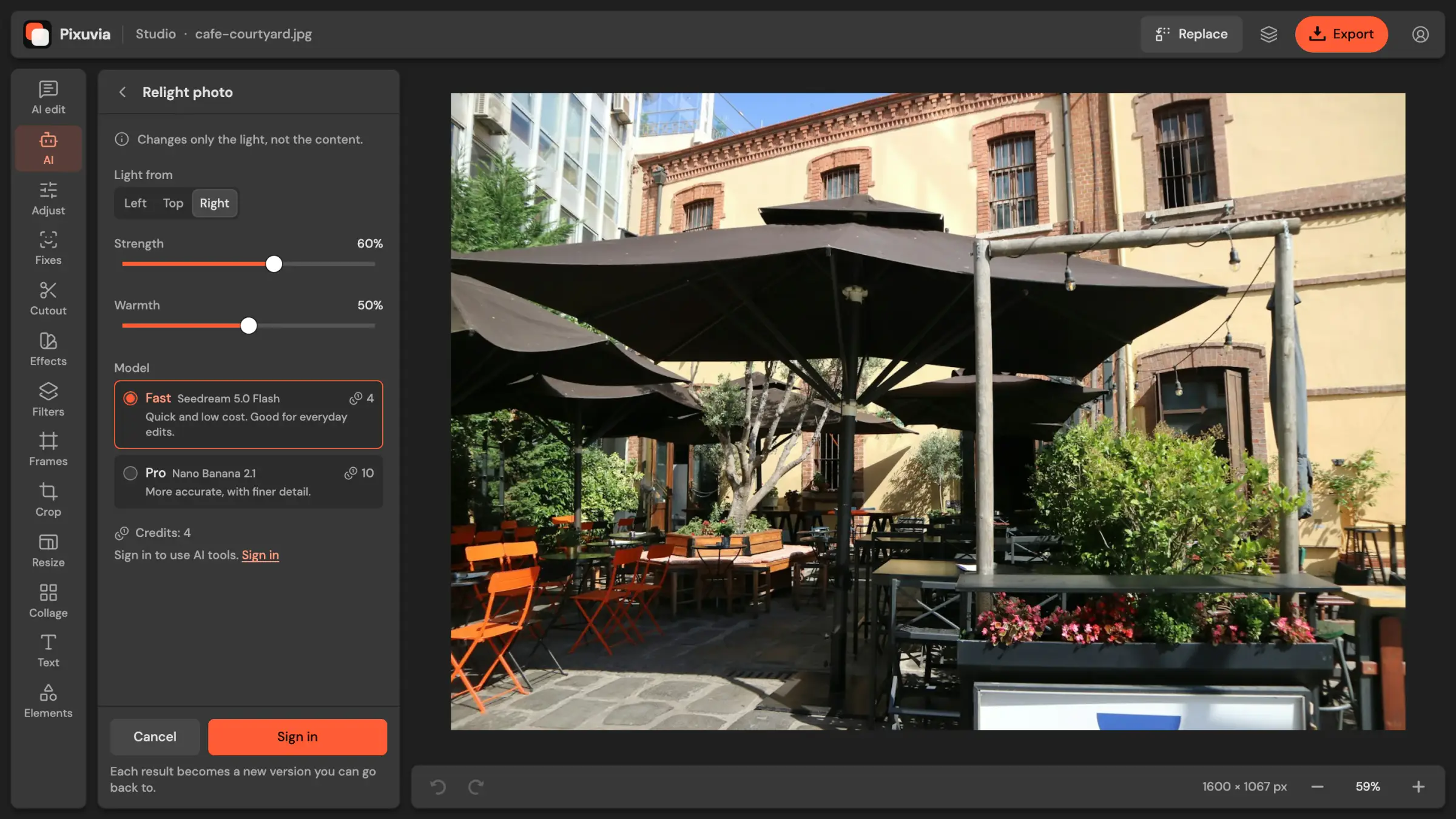
Here is how it differs in practice. The Studio sends a copy of the photo to an AI image model with a lighting-only instruction: keep every person, object and shadow where it is, and change only brightness, light color and contrast. The model returns a relit copy of the whole photo. That copy becomes a new version in the versions strip below the photo, not a layer, so the original stays one tap away and Undo works, but you can't reopen the lights and move them afterwards: to change the result, run it again with different settings.
In the layered Editor, the same tool is Filter > AI > Relight, and its result arrives as a new layer above the one you relit. If something is selected, the layer gets a mask that shows the relit light only inside the selection. Both versions are AI tools: they need an account and use AI credits. For other prompt-driven changes, see how to edit a photo with AI.
Questions
Is Photoshop Relight in the beta or the regular app?
Relight came to the Photoshop beta in September 2026 and is in the regular desktop app from version 28.0, released at Adobe MAX on November 10, 2026. Update through the Creative Cloud desktop app if you do not see it.
How many generative credits does Relight use?
Adobe says each generation uses 30 generative credits. A generation happens each time you select Done, so reopening the lights with Edit Lighting and confirming again uses another 30. Moving lights in the low-resolution preview does not.
Does Relight change the original photo?
No. Relight puts its result on a separate Relight Layer and leaves the original pixels untouched. You can hide or delete that layer, or select it and choose Edit Lighting to move the lights later.
What does Generative Restyle cost?
Adobe says converting a result into a Generative Restyle layer uses 80 generative credits. You need a Prompt to edit result first, and that edit uses its own credits.
Can I use Photoshop with ChatGPT or Claude through MCP now?
Not yet. Adobe is previewing MCP integrations that let a third-party agent call Photoshop, Illustrator, Premiere and After Effects on your computer, and says they are coming to Creative Cloud customers in early 2027.
Can I relight a photo without Photoshop?
Yes. The Pixuvia Studio has a Relight photo tool in the browser: pick where the light comes from, its strength and warmth, and the result becomes a new version of the photo. It is an AI tool, so it needs an account and AI credits.
Sources
- Adobe Blog: Explore new ways to create across Creative Cloud and Adobe Firefly (Deepa Subramaniam, November 10, 2026)
- Adobe Community: Photoshop MAX 2026, Relight, Restyle, Compare
- Adobe Community: Bad lighting? Photoshop Relight has your back
- Adobe Community: Relight is now available in Photoshop (Beta)
- Adobe Community: Fine-tune your AI edits with Generative Restyle
- Adobe Help: Relight images with interactive lighting controls
- Adobe Help: Fine-tune image attributes with Generative Restyle
- Adobe Help: Generative credits FAQ
- Adobe video: Relight in Photoshop
- Adobe video: MCP Integration for Photoshop
- TechCrunch: Adobe adds more AI to its products and launches an MCP