Adobe AI tools are coming to the Windows 11 Photos app
By Pixuvia · · Updated
Windows 11 Photos is getting AI editing tools from Adobe. Adobe announced at MAX on November 10, 2026 that the Photos app will be able to extend a photo beyond its borders, rotate a photo without cropping it, change a selected area from a text description and remove unwanted objects. A preview for Windows Insiders starts in December 2026. Pricing, regions and the release date for everyone have not been announced.
Here is what was announced, who gets it and when, what is still unknown, and what Photos can already do without Adobe.
On this page
Which Adobe AI tools are coming to Windows 11 Photos?
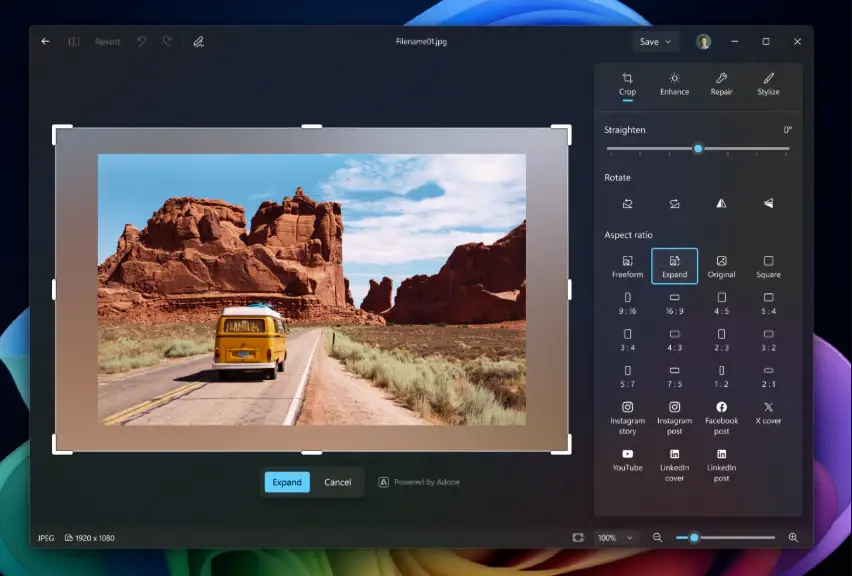
The announcement is a post on Adobe's blog, "More apps, more ways to create: Adobe and Microsoft expand possibilities on Windows", with a quote from James Howell, Vice President of Windows Consumer Marketing at Microsoft. Adobe says it is working with Microsoft "to bring Adobe-powered AI-editing and Adobe Express templates to Microsoft Photos on Windows 11". Four editing features are named, all inside Photos' own editor:
- Expand: "give a tightly framed photo more room by extending the scene beyond its original borders".
- Rotate without cropping: straighten or turn a photo "without cropping away part of the picture, with the edges filling in naturally".
- Edit by description: "select an area or object and describe what you'd like to add or change".
- Remove objects: "select an unwanted object and remove it, with the background blending naturally into place".
Adobe Express also gets a shortcut: you can open a photo in Express from the Photos viewer, or preview it in a personalized template first, for invitations, flyers and social posts.
The same post covers versions of Photoshop, Premiere, After Effects and Substance 3D Painter (beta) optimized for Arm-based Windows PCs. That part is for professional apps; the Photos features are aimed at everyday photo editing. Adobe's earlier news that week about Photoshop is in our post on Relight and Generative Restyle.
When can you use the Adobe tools in Photos?
Windows Insiders get a preview first, starting in December 2026. Everything else, from the price to the release date for everyone, had not been announced as of November 13, 2026.
| Question | What is known (November 13, 2026) |
|---|---|
| First access | A preview for Windows Insiders, starting in December 2026 |
| Release for everyone | No date announced |
| Windows version | Adobe names Microsoft Photos on Windows 11 only |
| Price or credits | Not announced |
| Adobe account | Not announced |
| Regions and languages | Not announced |
| Hardware (Copilot+ PC or any PC) | Not announced |
| On device or in the cloud | Not announced |
One detail is not quite consistent: Adobe's post says the preview starts "in December" near the top and "in the coming months" further down. December is the more specific of the two, and Notebookcheck reports the same month. We found no announcement of these features on Microsoft's own Windows blogs as of this post, so Adobe's post is the primary source for now.
Will the Adobe tools cost money or need an account?
Nobody has said yet, and cost is the biggest open question. In Photoshop and Firefly, Adobe's generative features run on generative credits that come with Adobe plans. Windows Photos is a built-in app with no Adobe sign-in today, and neither company has said whether the new features need an Adobe account, a subscription, or neither. Windows Latest, which saw the Powered by Adobe label, raised the same concern.
It is also unclear where the processing happens. Microsoft's own AI features in Photos are split: some run on the PC, and some need a Copilot+ PC or a Microsoft account (below). Adobe's description doesn't say which way its features work, or whether they will reach Windows 10, which Adobe does not mention.
What AI editing does Windows Photos already have?
Photos has had AI editing of its own for a while. From Microsoft's support pages, as of November 2026:
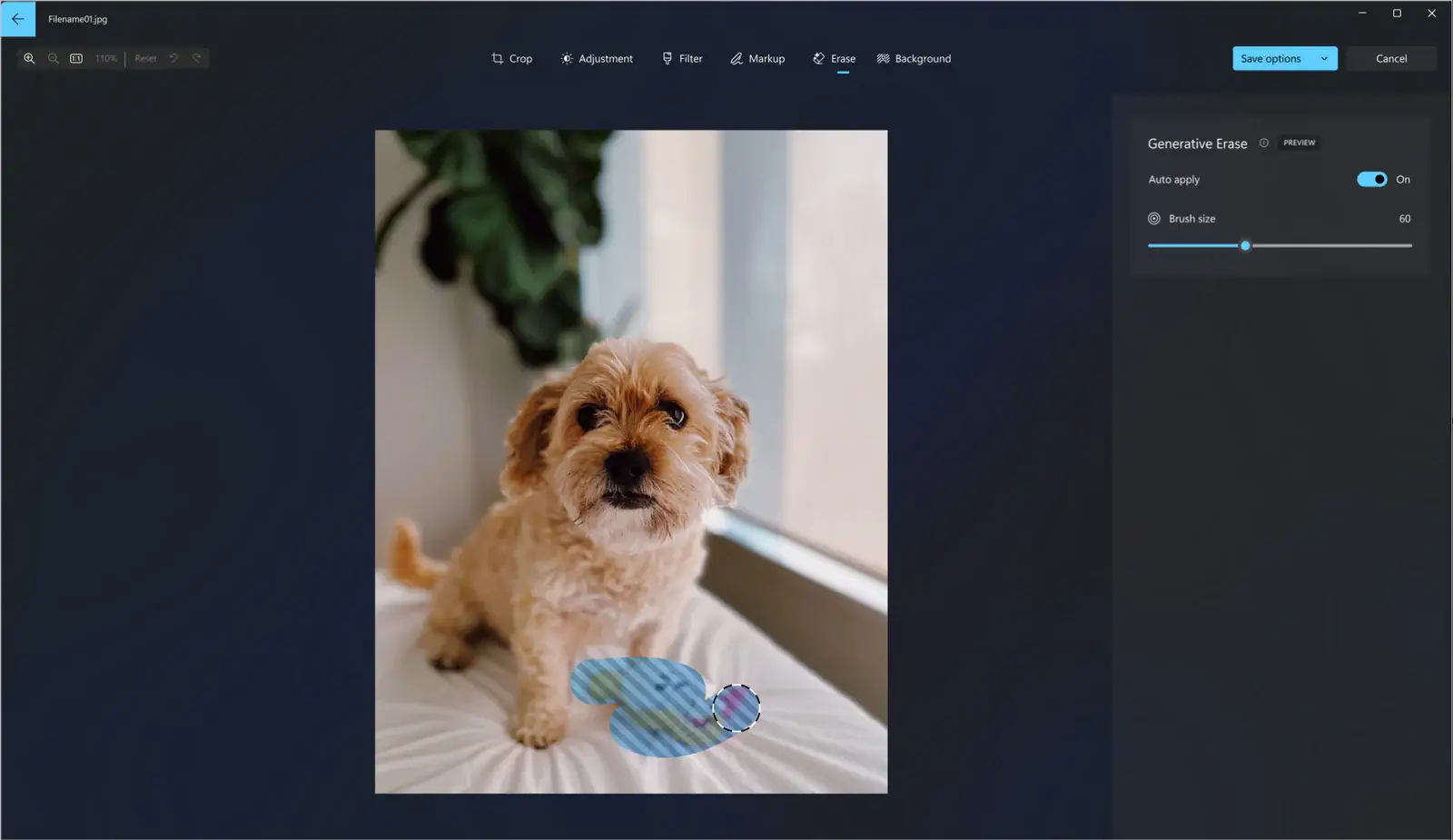
- Generative erase: brush over a blemish or an object and Photos fills the area. Microsoft says "the process is done locally on your device". Microsoft extended it to Windows 10 and Arm64 PCs in February 2024, starting with Windows Insiders.
- Background blur, remove and replace: Photos separates the subject from the background; Microsoft says that separation is done locally.
- Super resolution: enlarges and sharpens low-resolution photos. Copilot+ PCs only.
- Restyle Image and Image Creator: AI styles from a preset or a description, and new images from text. Copilot+ PCs only, with an internet connection and a Microsoft account.
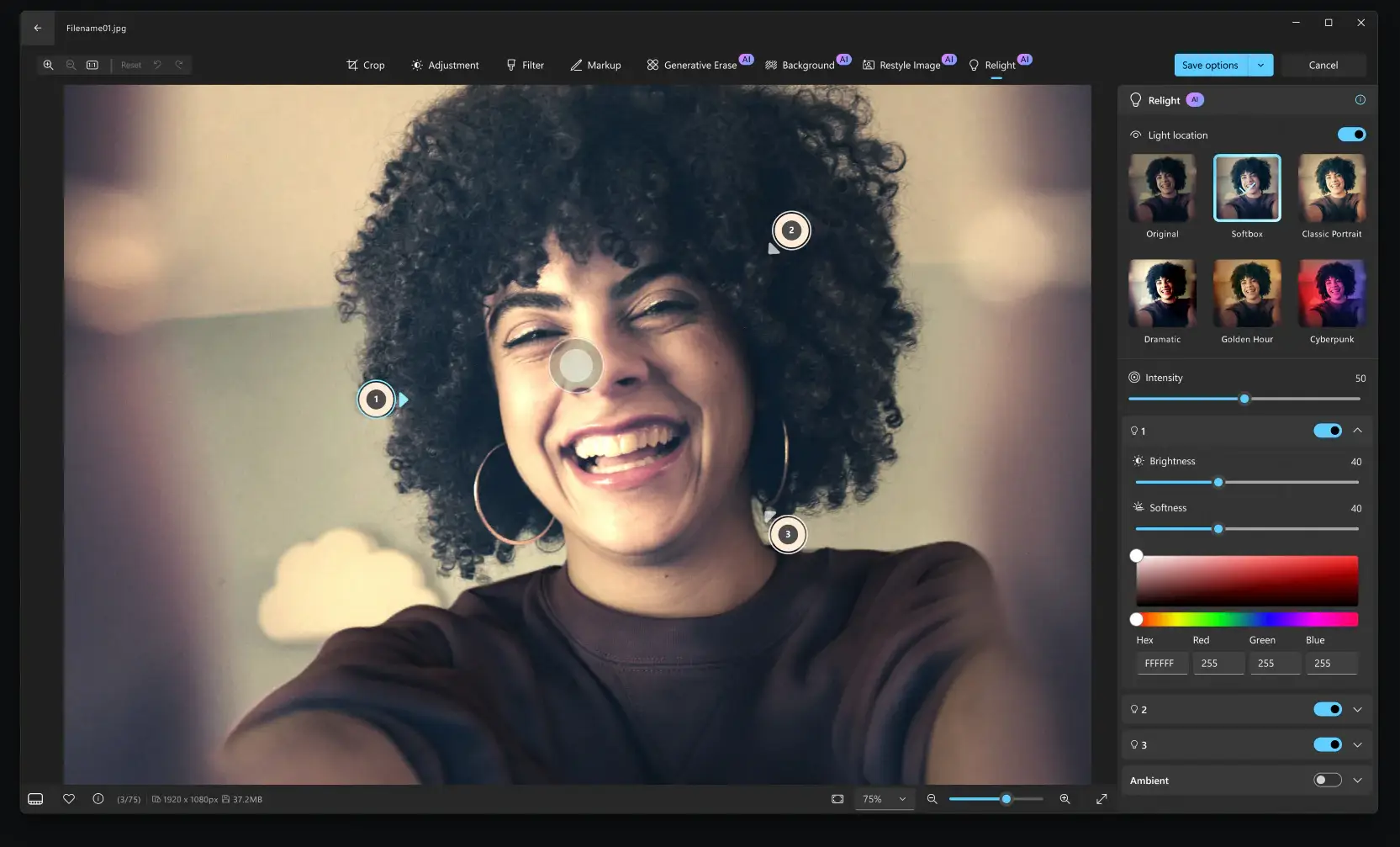
- Relight: adds artificial light sources you can position and color. Copilot+ PCs only, running on the device.
So the Adobe features fill gaps rather than start from nothing. Photos can already erase objects; Adobe adds a prompt-based change to a selected area, expanding the frame and filling the corners after a rotation, which is outpainting. Our explainer on inpainting vs outpainting covers how those two kinds of fill differ.
How to make these edits in a browser today
If you are not on Windows 11, or don't want to wait for the preview, these Pixuvia pages do the same jobs today:
- Object remover: paint over or circle an object and remove it, with Standard (no credits) or AI for busy scenes.
- Image extender: pick a wider or taller shape and AI paints the extra space to match.
- AI photo editor: describe the change you want and AI edits the photo.
- Studio: all of these plus Relight, upscaling and background tools in one place, with each result kept as a version you can go back to.
The AI options need an account and use AI credits; Standard object removal doesn't. For walkthroughs, see how to remove an object from a photo and how to extend an image background.
Questions
When do the Adobe tools arrive in Windows 11 Photos?
Adobe says a preview for Windows Insiders starts in December 2026; the same post also says "in the coming months". No date for everyone has been announced.
Will I need an Adobe subscription or account?
Neither company has said, as of November 2026. Adobe Express itself has its own accounts and plans, and Adobe's other generative tools use generative credits, but nothing published yet says how the Photos features are billed.
Will it work on Windows 10?
Adobe names only "Microsoft Photos on Windows 11". Windows 10 is not mentioned, and Microsoft has not published its own requirements for these features.
Does Windows Photos already have AI editing?
Yes. Microsoft's support pages describe Generative erase and background blur, removal and replacement, plus Super resolution, Restyle Image, Image Creator and Relight, which are exclusive to Copilot+ PCs.
Can I do these edits without Windows Photos?
Yes. In the browser, Pixuvia has pages to remove an object, extend a photo and edit it by describing the change, plus the Studio with all of its AI tools in one place.
Sources
- Adobe Blog: More apps, more ways to create: Adobe and Microsoft expand possibilities on Windows (November 10, 2026)
- Microsoft Support: Edit photos and videos in Windows
- Microsoft Support: Relight in Photos
- Microsoft Support: Super resolution in Photos
- Microsoft Support: Restyle Image and Image Creator FAQ
- Windows Insider Blog: Generative erase on Arm64 devices and Windows 10 (February 2024)
- Notebookcheck: Windows 11 Photos is getting Adobe's generative AI tools in December
- Windows Latest: Windows 11's Photos app is getting Adobe built in